An arc radius calculator finds the radius of a circular arch from two measurements you can take at the opening: the straight chord and the rise to the crown of the arc. From the same inputs, you can also calculate the angle, curved length, and related areas.
Unit Converter includes this Arc Segment workflow inside its Construction Calculator. Enter feet, inches, and fractions directly, then move through each labeled result without solving the circular-segment formulas by hand. Unit Converter is free to download for Android, iPhone, and iPad.


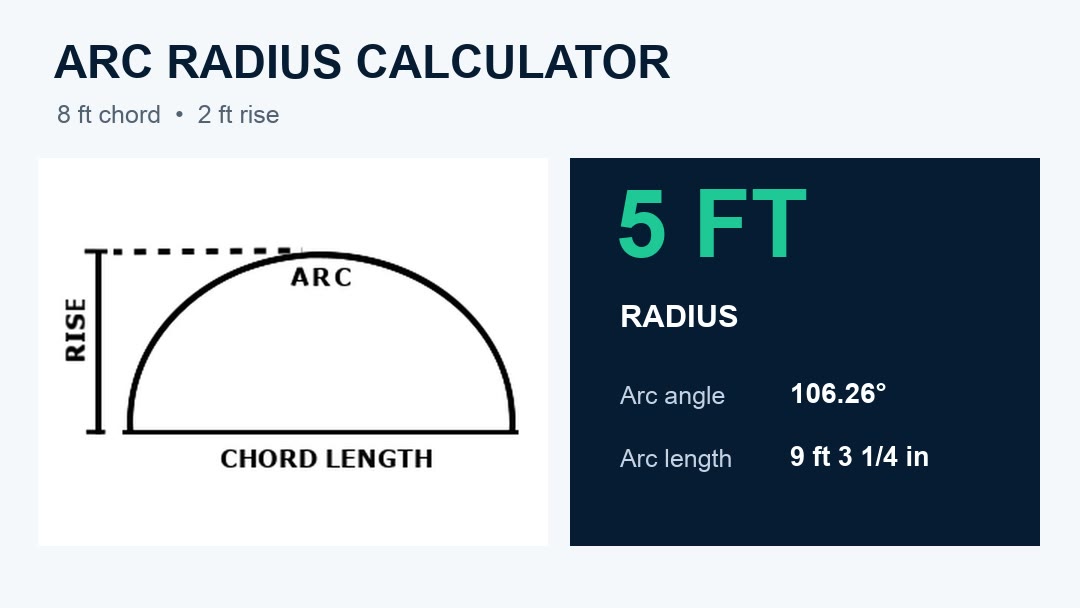
Measure the chord and segment rise
The chord is the straight line joining the two spring points of the arc. The segment rise—also called the sagitta—is the perpendicular distance from the midpoint of that chord to the crown or highest point of the curve.
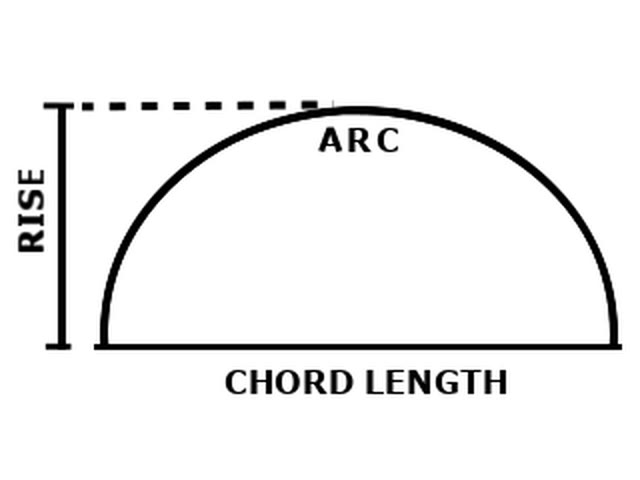
Take both measurements in the same plane and on the same reference line. A chord and rise calculator can then reconstruct the radius of the theoretical circle that generates the arc.
Find the radius from chord and rise
If the chord is c and the segment rise is h, the circular-arc radius is:
Radius = c² ÷ (8 × h) + h ÷ 2
For an 8 ft chord and 2 ft rise:
Radius = 8² ÷ (8 × 2) + 2 ÷ 2 = 5 ft
This 5 ft value is the radius of the source circle. It can be used to establish the theoretical center and swing a full-size arc or template.
Use Arc Segment in Unit Converter
- Open Construction Calculator.
- Press Shift, then Pitch to open Arc.
- Choose Arc Segment.
- Enter 8 ft for Chord.
- Enter 2 ft for Rise.
- Read Radius, then press Next to review the remaining results.
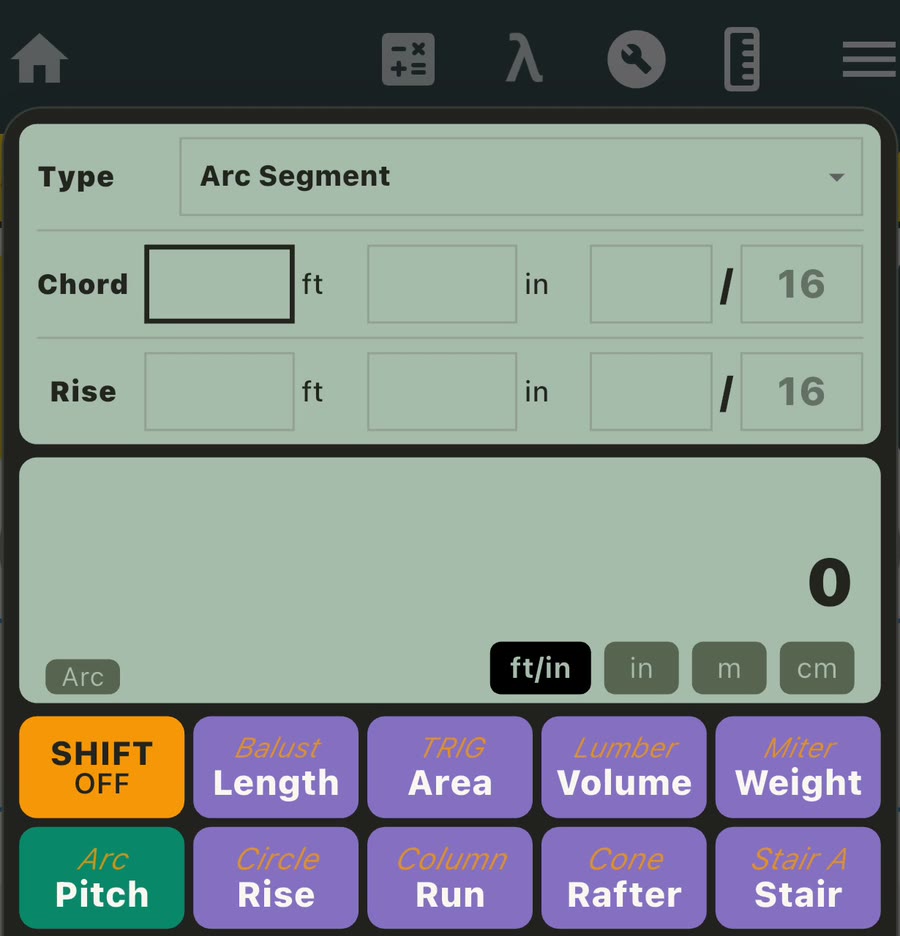
The input fields support feet and fractional inches, decimal inches, meters, and centimeters. Length and area results can be reviewed in the compatible unit that fits the layout.
Review every result for the 8 ft × 2 ft arc
The same two measurements produce seven labeled result pages:
- Radius: 5 ft
- Arc Angle: 106.26°
- Arc Length: 9 ft 3 1/4 in
- Chord: 8 ft
- Segment Area: 11.18 sq ft
- Pie Area: 23.18 sq ft
- Rise: 2 ft
The app repeats the entered chord and rise among the results, making it easier to record the answer together with the measurements that produced it.
Find arc length from chord and height
Here, height means the segment rise measured at the midpoint of the chord. Once the calculator finds the radius and central angle, it can determine the distance along the curve.
For the 8 ft chord and 2 ft center height, the straight span remains 8 ft while the curved arc length is 9 ft 3 1/4 in. That distinction is useful when planning a curved template, checking a flexible trim run, or comparing the straight opening with the path along the arc.
What the circular segment calculator adds
Arc Segment can describe more than the radius by keeping the connected geometry together:
- Arc angle is the included central angle of the source circle.
- Arc length is the theoretical distance along the selected curve.
- Segment area is the area enclosed between the chord and the arc.
- Pie Area, the app label, is the corresponding circular-sector area bounded by the two radii and the arc.
These related values let a carpenter, formworker, drywall installer, or millworker answer several layout questions from the same measured opening.
Use one consistent reference for the layout
Before measuring, decide whether the arc describes an inside edge, a centerline, or an outside edge. Keep that same reference for the chord, rise, radius, and curved length so the complete layout describes one curve.
Material thickness and finish layers can create different inside and outside curves. Establishing the reference first, then making a full-size template or test layout, gives you a clear geometry check before cutting the finish material.
Frequently asked questions
How do you find radius from chord and rise?
Square the chord, divide by eight times the rise, then add half the rise: R = c² ÷ (8 × h) + h ÷ 2. For an 8 ft chord and 2 ft rise, the result is a 5 ft radius.
Is the span of an arch the same as its chord?
For this workflow, the measured straight span between the two spring points is the chord. The arc length is the longer distance along the curve.
What is the rise or sagitta of an arc?
It is the perpendicular distance from the midpoint of the chord to the crown of the arc. In the app, this input is labeled Rise.
Can I enter feet, inches, and fractions?
Yes. Chord and Rise accept feet, whole inches, and fractional inches. Decimal inches, meters, and centimeters are also supported.
Does the app calculate the curved length?
Yes. Arc Length is one of the result pages. The verified 8 ft chord and 2 ft rise example returns 9 ft 3 1/4 in.
Is the arc radius calculator free to download?
Yes. Unit Converter is free to download from Google Play and the App Store, and Arc Segment is included inside its Construction Calculator.
Calculate an arc from two measurements
Measure the straight chord and center rise, enter both values, and review the radius and curved length together. For help entering fractional field measurements, see our feet and inches calculator app guide. For the wider collection of layout, material, roof, stair, and geometry tools, visit our Construction Calculator app guide.
Download Unit Converter on the App Store for iPhone or iPad, or get Unit Converter on Google Play for Android.