Unit Converter is a unit converter app for iPhone that brings everyday measurements, technical conversions, reference information, and useful calculators into one place. It includes more than 1,000 units across more than 80 categories, and the same App Store download supports both iPhone and iPad. The app is free to download, so you can start with the conversions you use most and explore the broader collection when you need it.
Whether you are checking a weight, adapting a recipe, reading an international specification, or working with feet and inches, the basic workflow stays simple: choose a converter, enter one value, and compare several equivalent results as they update.

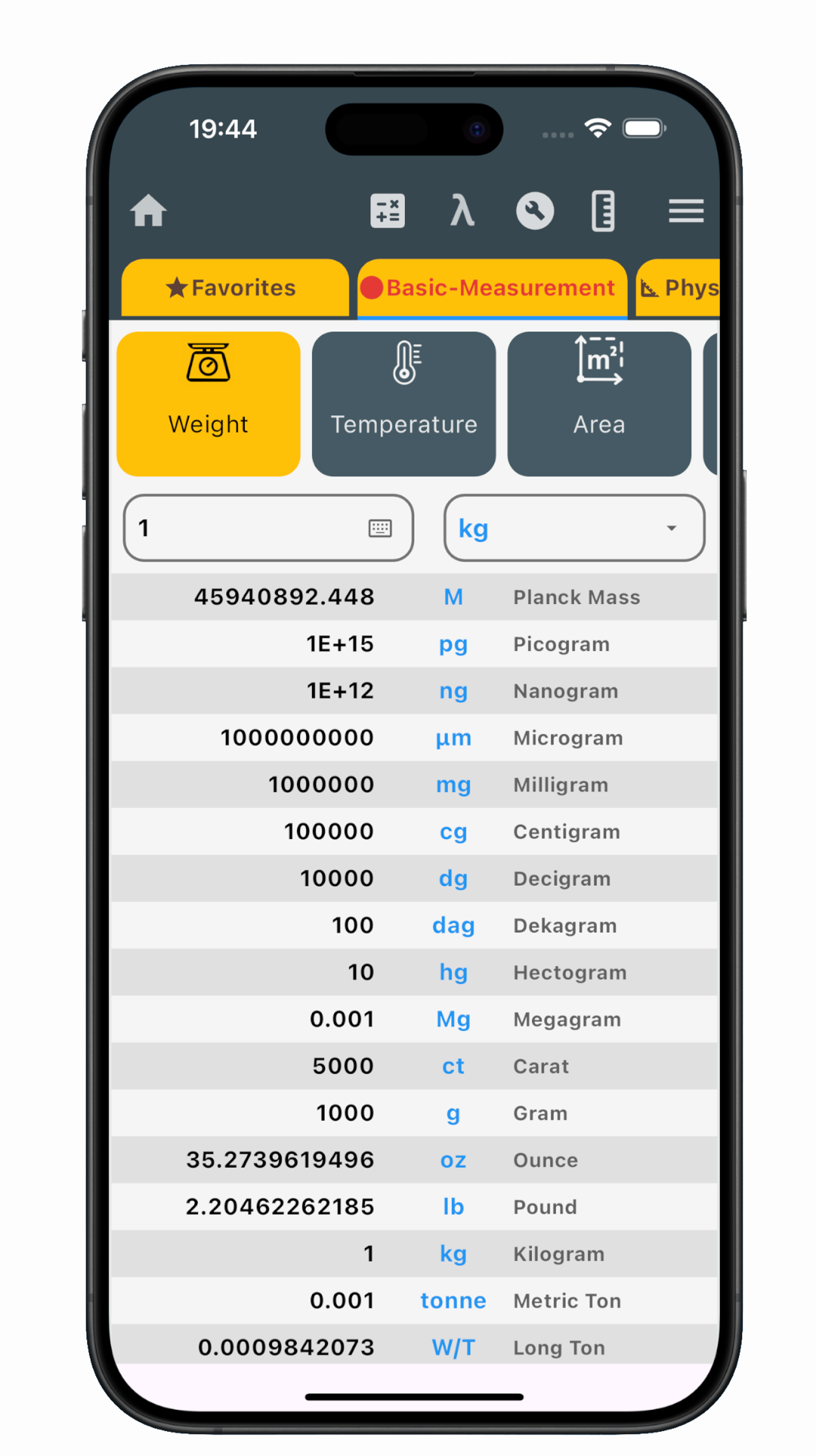
Enter one value and compare several units
A useful conversion is not always a simple one-to-one answer. You may know a weight in kilograms but need to compare pounds, ounces, grams, or another unit before deciding which value to copy. Unit Converter shows multiple results in a scrollable list, allowing you to enter the source value once and review several equivalents together.
The results change in real time as you type. This makes quick checks feel immediate, but it also helps when you are testing a few possible values. Change the input and the whole result list follows, without making you rebuild each conversion separately.
Move through conversions and reuse a result
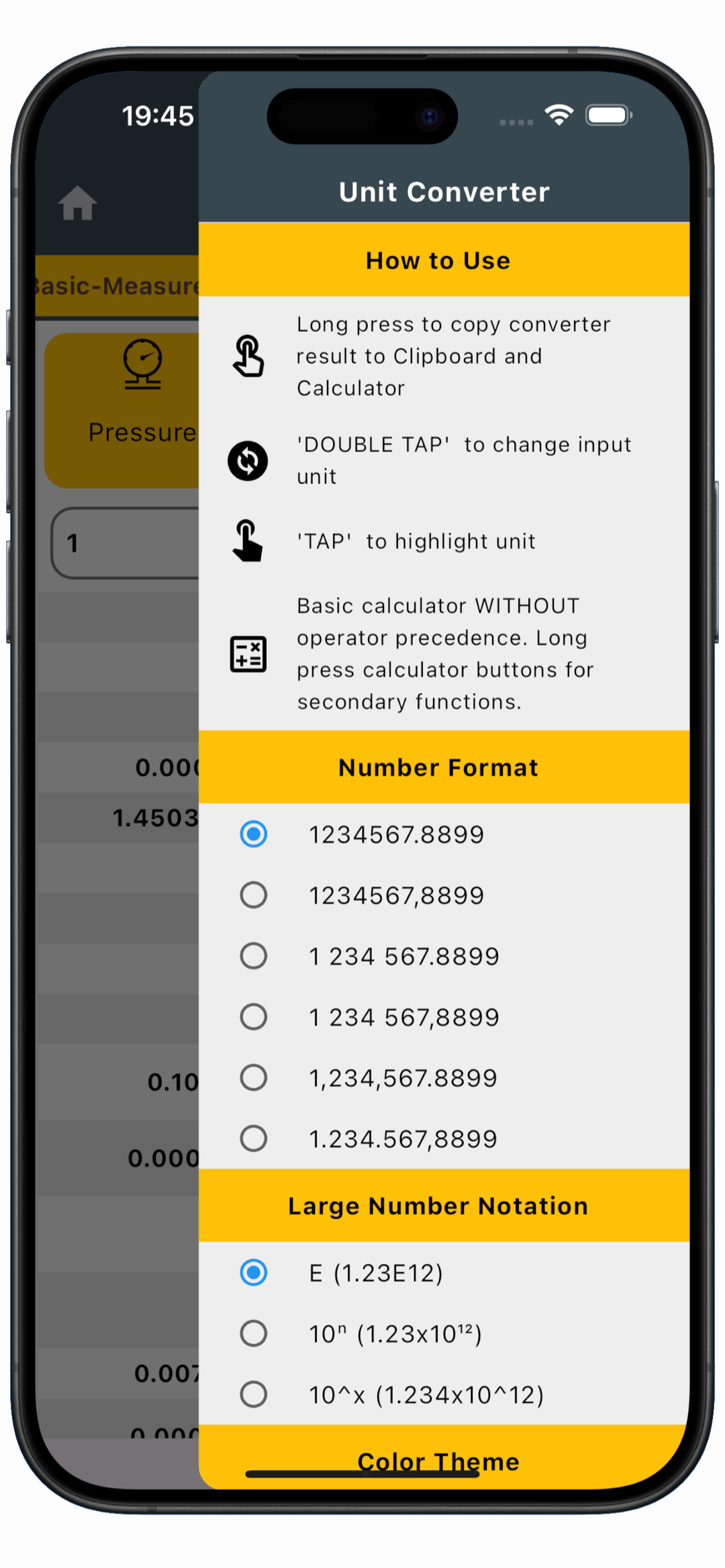
The iPhone conversion screen includes simple gestures for changing what you are viewing. Tap a unit to highlight it in the results. Double-tap a unit when you want to use it as the new input unit, making it easy to reverse the direction of the conversion or continue from a different measurement.
When you have the result you need, long-pressing it copies the value to the clipboard and the app’s Calculator. The clipboard makes it ready for a message, note, document, or another app, while Calculator gives you a direct starting point for more arithmetic. There is no need to type the converted number again.
Choose a number format that suits the task
The same value can be easier to understand in different formats. Unit Converter lets you choose how separators are displayed and select a large-number notation. This is useful when you prefer a familiar decimal style for everyday measurements or need a compact presentation for a large result.
From everyday measurements to technical units
The same quick result-list workflow covers familiar categories such as length, weight, temperature, area, volume, time, speed, cooking volume, and fuel consumption. It works well for situations where metric and imperial measurements meet: following a recipe, checking product dimensions, reading travel information, or comparing a specification.
When work or study becomes more technical, you can continue into pressure, force, torque, energy, fluid, electricity, magnetism, radiation, light, and data categories. Reference screens for subjects such as metric and binary prefixes, scientific constants, Roman numerals, and the periodic table keep useful supporting information close to the converters.
Go from conversion to calculation
Conversion is often only the first step. Unit Converter includes a scientific calculator and 42 Helpful Tools for related work, including percentage, geometry, roots, vectors, volume, electronics, and board-foot calculations. Instead of leaving the app to rebuild a specialized formula, you can open a focused tool or move a converted result into the app’s Calculator.
Calculate with feet, inches, and fractions
The built-in Construction Calculator is designed for measurement math used in building, carpentry, woodworking, layout, estimating, and DIY projects. It supports feet, inches, and fractional-inch entry, along with decimal inches, meters, and centimeters. Supported units can be mixed across input lines, while result controls let you review compatible answers in another unit.
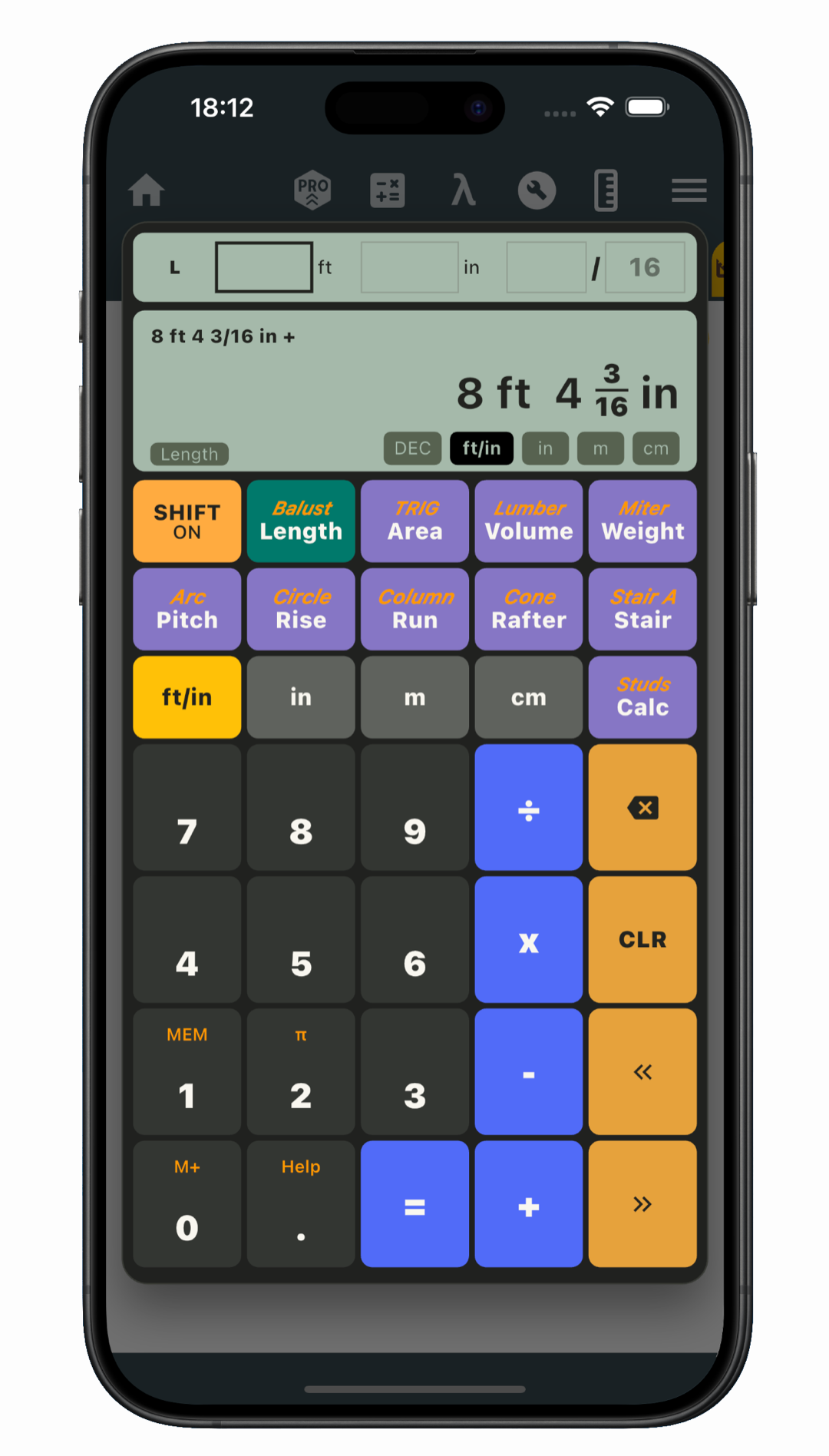
Dedicated modes cover roofing, stairs, baluster and stud layouts, lumber, miters, and common shapes. Area, volume, and estimated material-weight calculations support broader project work, while memory lets you save a displayed value and insert it into a compatible field later. This is useful when the same measurement appears in several parts of a layout or estimate.
Keep frequent converters close on iOS
With more than 80 categories, the converters you use regularly should not get lost in the collection. Save favorites and arrange home-screen shortcuts for quicker return visits, while specialized categories remain available when a new task calls for them. Color themes, result copying, and number-format controls give you additional ways to make the app fit your usual workflow.
One App Store download for iPhone and iPad
Unit Converter is available for both iPhone and iPad through the same App Store listing. That gives you one place to download the app for the Apple device you use for everyday checks, study, technical reference, or project calculations.
What should the best unit converter app for iPhone include?
The right choice should fit the measurements you actually encounter and provide a clear path from input to usable result. Useful iPhone interactions can matter just as much as the length of the category list.
- Immediate comparison: Values should update as you type and show useful equivalent units together.
- Quick input changes: Changing the input unit should not require rebuilding the conversion.
- Reusable results: Copying a value should make it easy to continue in a note, document, or calculation.
- Readable numbers: Display choices should keep everyday and large values understandable.
- Useful next steps: Focused calculators should help turn converted measurements into practical answers.
Unit Converter brings these qualities together through its multi-result screen, iPhone gestures, display choices, favorites, and built-in calculators.
Frequently asked questions
Is Unit Converter a free unit converter app for iPhone?
Yes. Unit Converter is free to download from the App Store for iPhone and iPad.
Does Unit Converter work on iPad?
Yes. The App Store listing confirms compatibility with both iPhone and iPad, using the same download.
Can it convert metric and imperial measurements?
Yes. The app covers common metric and imperial units across length, weight, temperature, area, volume, speed, pressure, and many other categories.
Can I view more than one converted result?
Yes. Enter one value to see multiple equivalent units in a scrollable list. Results update in real time as the input changes.
Does it include a Construction Calculator?
Yes. The Construction Calculator supports feet, inches, fractions, mixed supported measurements, and dedicated tools for roof, stair, layout, lumber, miter, geometry, area, volume, and estimated material-weight calculations.
Download Unit Converter for your Apple device
Keep everyday measurements, technical units, reference information, Helpful Tools, and construction calculations ready on iPhone or iPad. Download Unit Converter from the App Store and organize your most-used converters for faster access.