A pair of beaded earrings is a lovely place to try a new color combination. A few rows of berry, blush and ivory can become a small geometric design, while coral and copper give a diamond-shaped pair a completely different feel. Here is how to design beaded earrings by turning that idea into a chart you can edit, preview and follow.
Bead Designer, included in Knitting Row Counter, is a seed bead pattern maker with Peyote and Brick Stitch grids, drawing tools, color editing and row tracking. The app is free to download for Android, iPhone and iPad. We will use Berry Mosaic as our main example, then look at a different shape with Sunset Diamond.


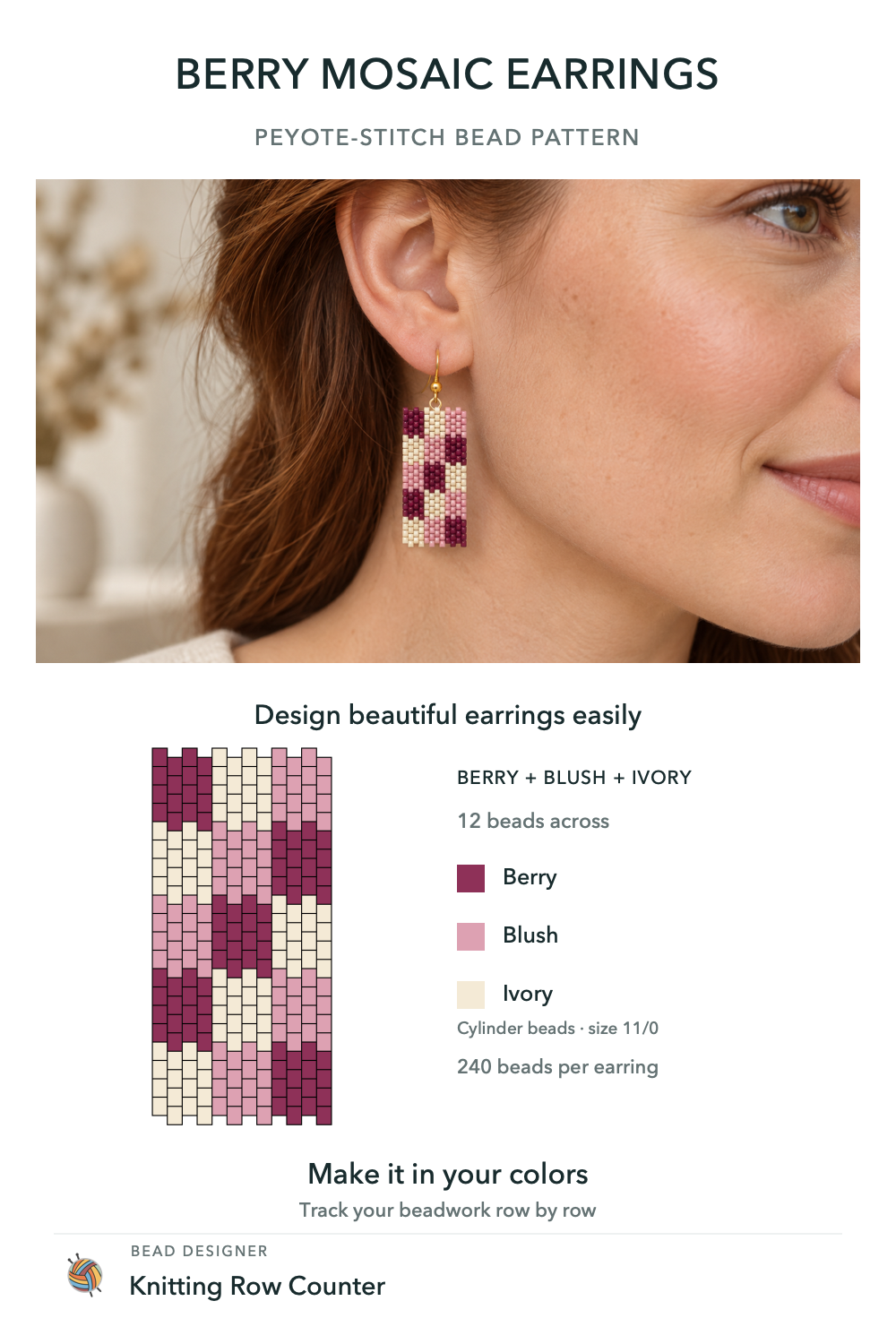
Start with the stitch, shape and size
Before drawing, think about the outline you want to wear. A narrow rectangle gives a small motif room to repeat; a diamond lets the color bands widen toward the middle and taper again. Choose the stitch and bead profile first so you are designing on the right grid from the beginning.
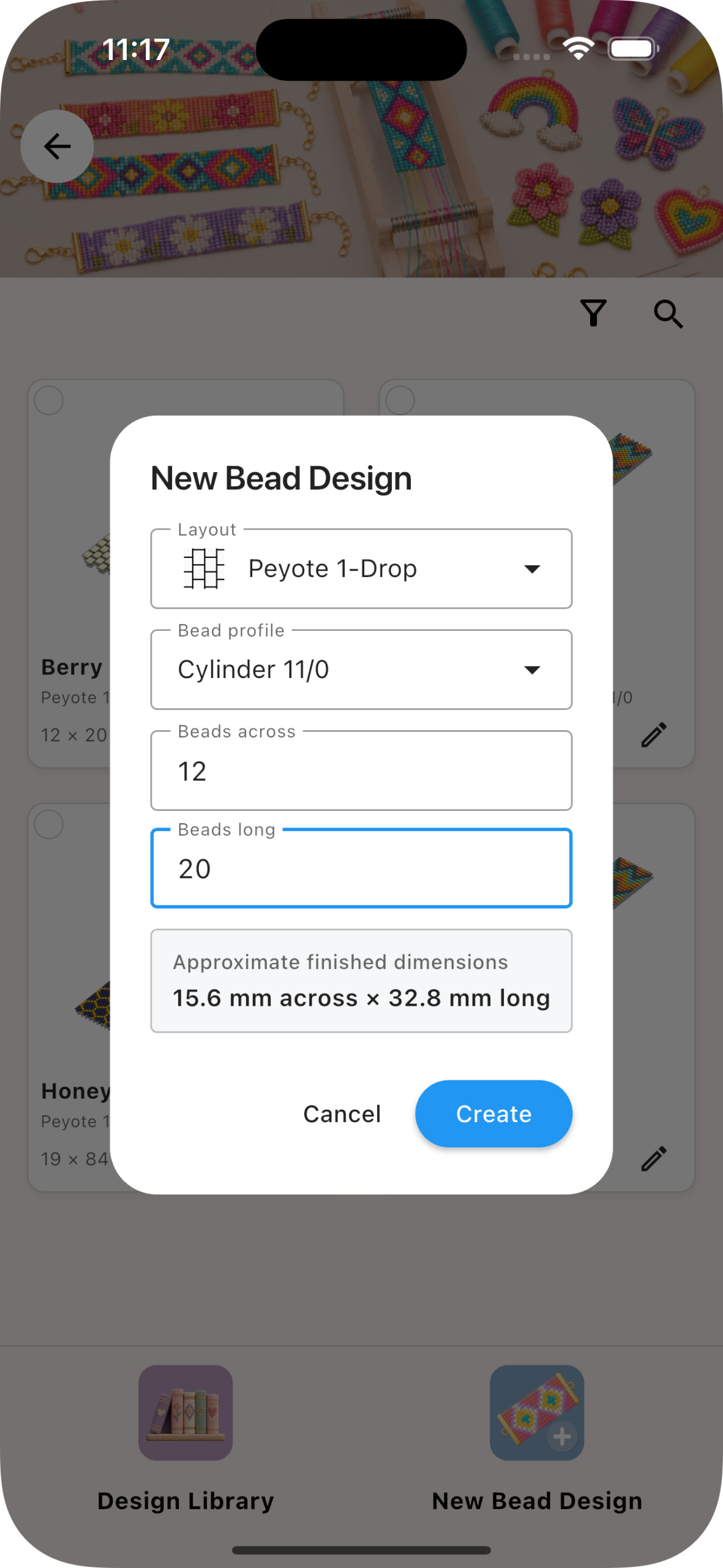
For peyote earring patterns like Berry Mosaic, create a new bead design with these settings:
- Layout: Peyote 1-Drop.
- Bead profile: Cylinder 11/0.
- Dimensions: 12 beads across and 20 beads long.
The app shows an approximate beaded size of 15.6 mm across by 32.8 mm long for this example. Checking that estimate early helps you decide whether to make the chart wider or longer before spending time on the details. When planning the overall drop of the earring, allow space for your chosen attachment and ear wire too.
Draw a motif that stays clear at earring size
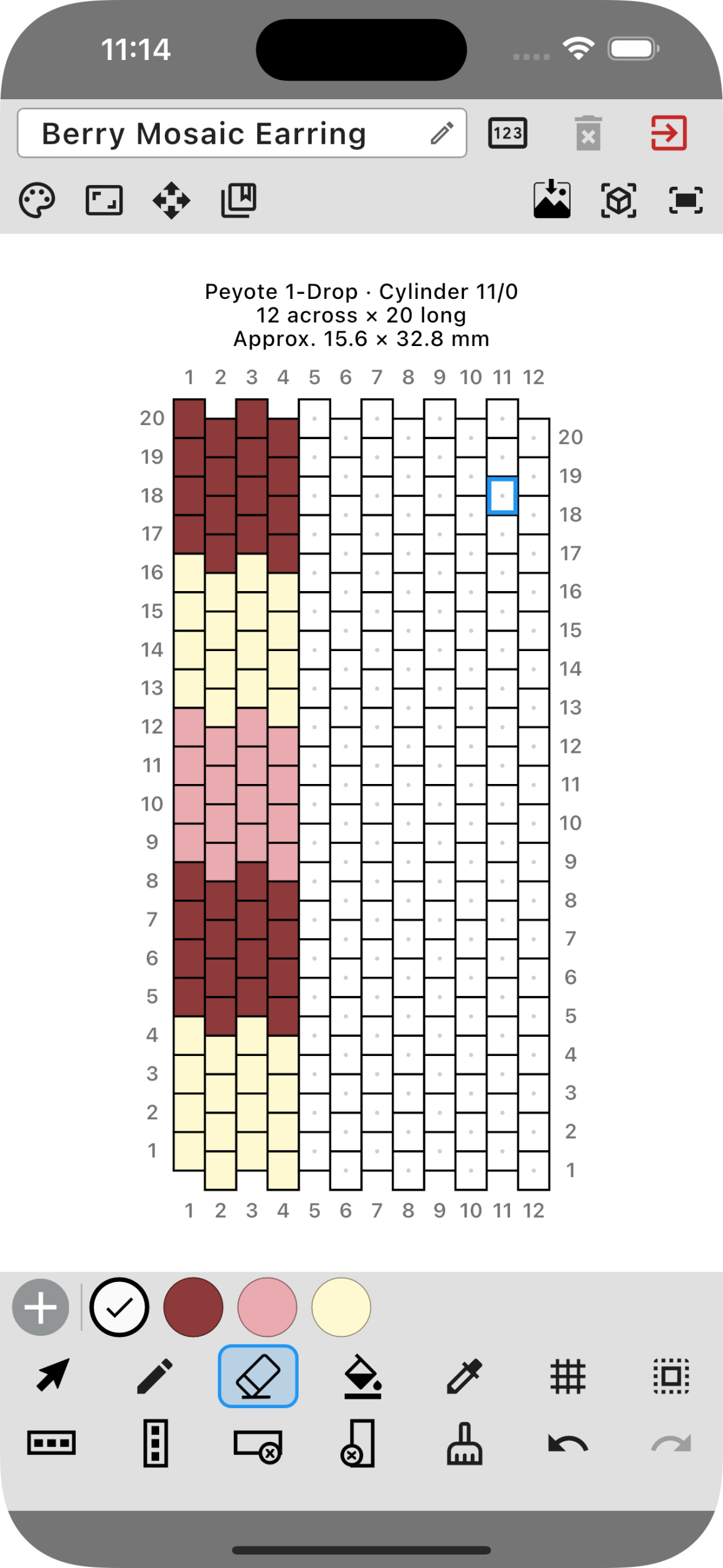
Berry Mosaic uses three colors: berry, blush and ivory. The darker berry gives the design definition, while the lighter beads make the small geometric shapes easier to pick out. Starting with a compact palette lets you concentrate on the motif before experimenting with more shades.
Choose a color from the palette and use the pencil to place beads on the staggered grid. Use the eraser to clear a position, or the fill tools when you want to color a larger area. In the editor image above, one side of the design has been drawn while the remaining positions are still empty.
Zoom in to place individual beads, then zoom out to judge the whole earring. Look for details that disappear into their neighbors and give them a little more contrast. For repeated or reflected details, the copy and mirror tools let you reuse a selected part of the chart.
Try another colorway without redrawing the earrings
Once the motif feels right, duplicate the design to keep your original and explore another palette. You might keep the ivory and replace the berry with navy, or try forest green with gold and cream.
The Change Colors screen lets you replace, swap or merge colors throughout the pattern, with a live preview before applying the change. That makes it easy to compare a pair for everyday wear with a brighter version for a gift. Our guide to recoloring a bead pattern shows the process in more detail.
Preview the beadwork, then follow it row by row
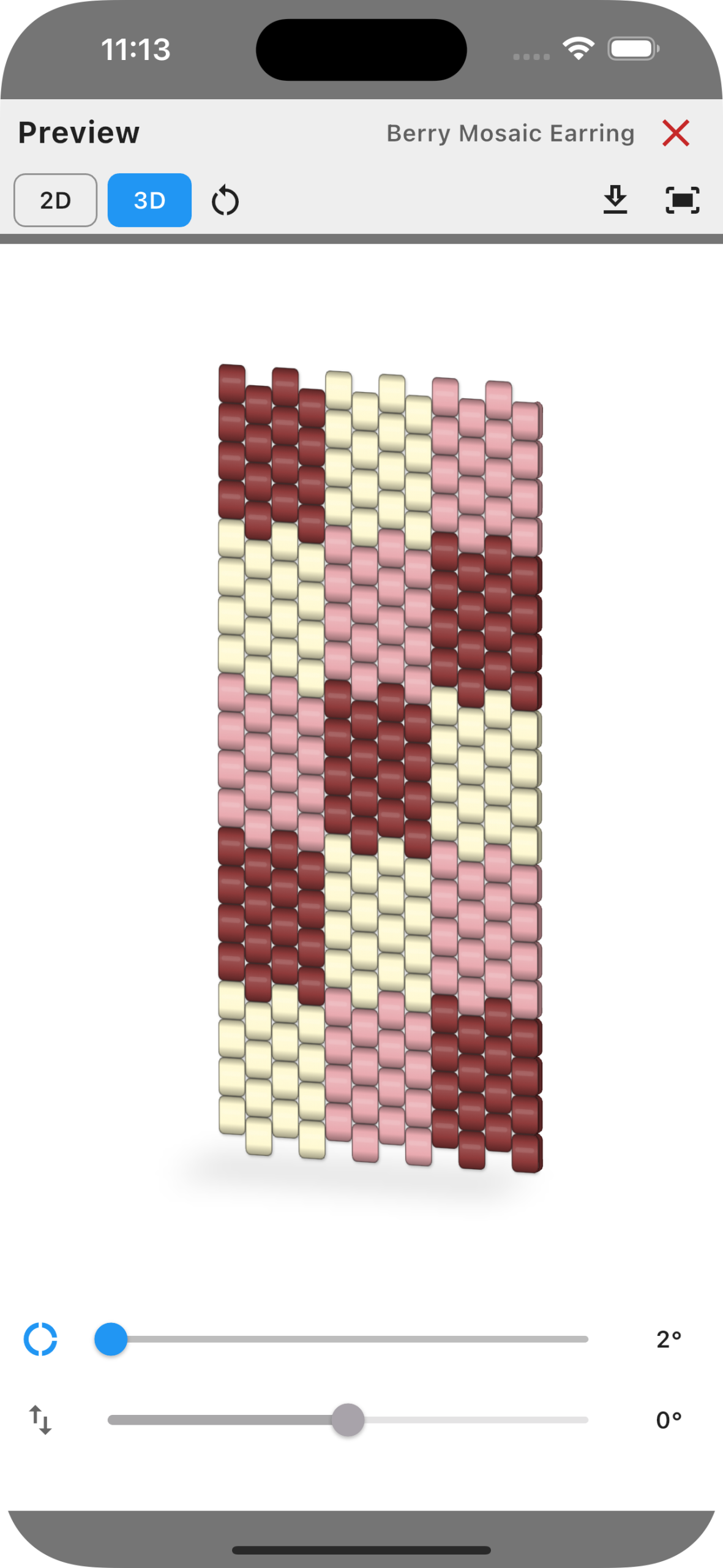
Open the preview to inspect the complete design in 2D or 3D. The Berry Mosaic view below shows the colors on shaded individual beads, giving you another way to check the balance of the pattern before starting to bead.
When you are ready to work, open the design in Work mode. The current row or pickup phase is highlighted, and the instruction line shows the direction, color letters and quantities. In this example, row 10 reads B(2), A(2), C(2), matching the highlighted beads on the chart.
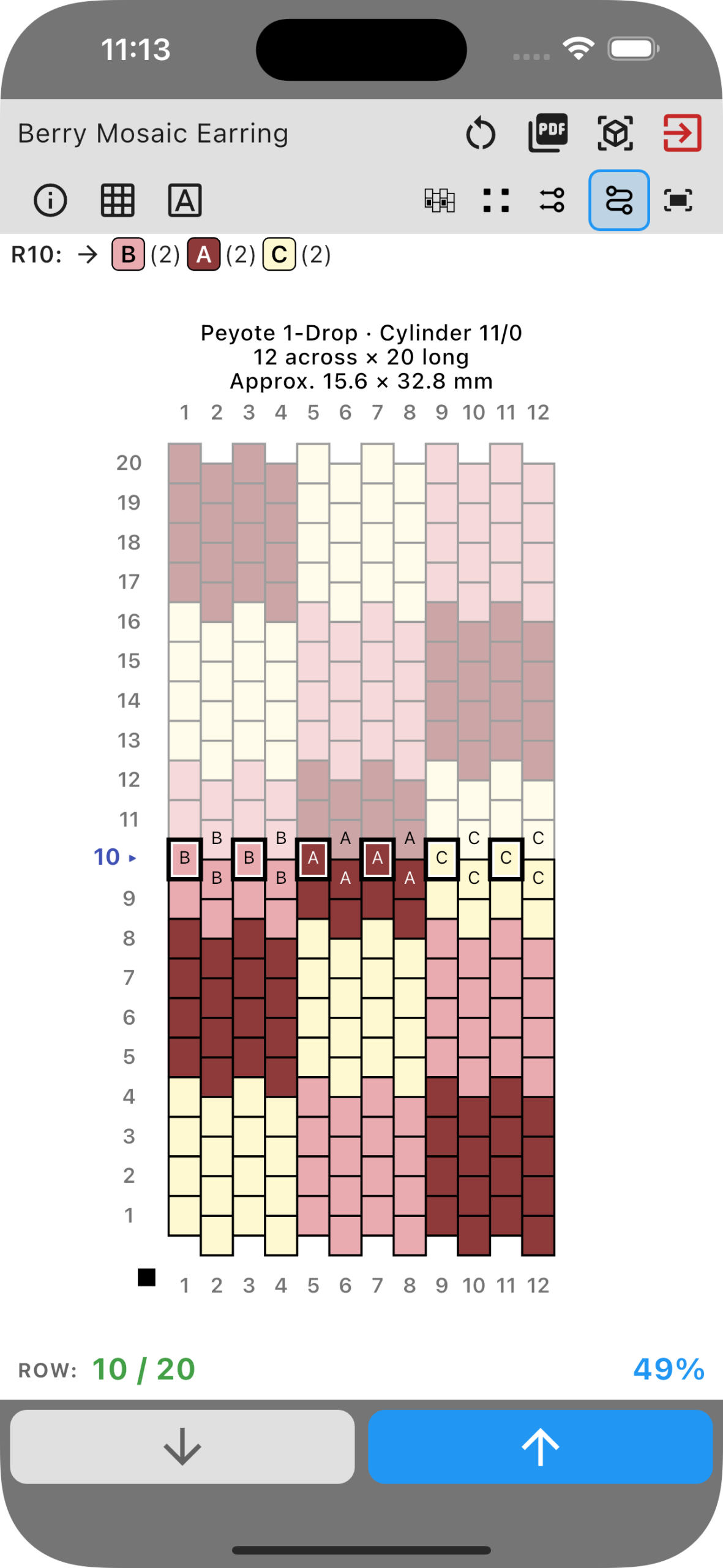
You can move forward or back, choose the starting corner and working direction, and return to saved progress after a break. For a matching pair, follow the same saved chart again for the second earring, resetting its progress when you are ready to begin.
Explore brick stitch earring patterns with a shaped outline
For a different look, try a Brick Stitch grid and build the color arrangement around a shaped outline. Sunset Diamond uses coral, cream and copper bands across a diamond, with 29 rows and 15 beads at its widest point.
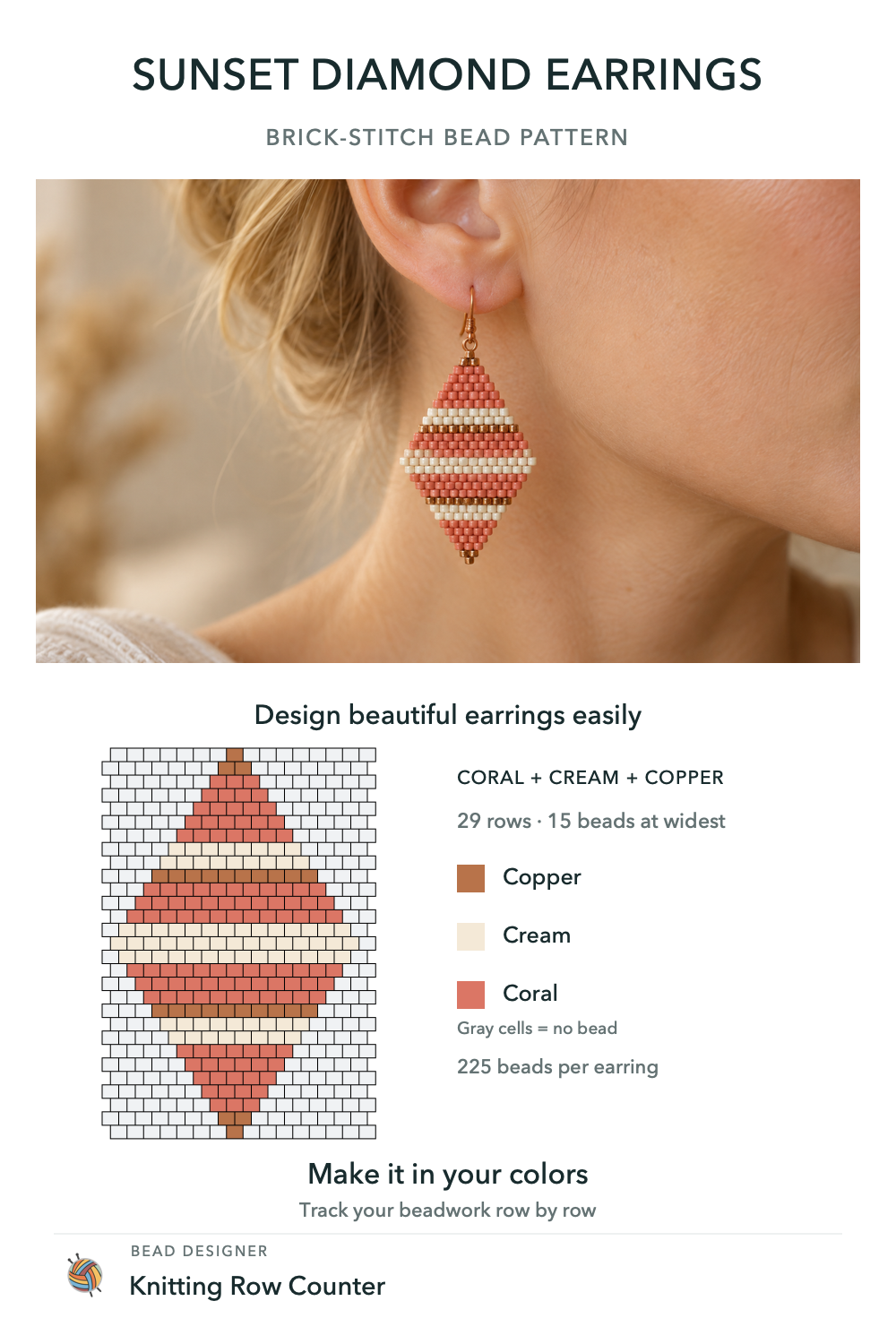
The gray positions in this example mean no bead, rather than gray beads. In the editor, transparent cells let you leave those positions empty and shape the outline. The colored diamond contains 225 beads per earring.
Keep the silhouette in mind as you place the colors: a narrow tip has less room for detail than the center. A small number of clear bands can make the shape feel deliberate without needing a complicated motif.
Keep a printable version of your earring pattern
You can also prepare a pattern PDF with a preview, a numbered chart, bead quantities and row-by-row pickup instructions. Bead reference codes help you identify the colors when gathering supplies, and checkboxes give you a place to mark progress on paper.
See how to create a printable bead pattern PDF for the document settings and example pages.
Frequently asked questions
Can I design my own earring pattern from scratch?
Yes. Start with a blank design, choose the technique, bead profile and dimensions, then draw your motif. The chart stays editable, so you can refine individual beads, change the palette or duplicate a design for another version.
Can I make the two earrings identical or mirrored?
Use the same chart twice for an identical pair. If you want a reflected motif, duplicate the design and use horizontal mirroring on the selected area. Check the second chart alongside the first before following each one.
Can I design earrings on my phone or iPad?
Yes. Bead Designer is included in Knitting Row Counter on Android, iPhone and iPad. You can draw, recolor, preview and follow your bead designs in the app.
Make the next pair your own
Start with a shape you like and a few beads from your own collection. Draw the motif, compare the colors, then keep the chart beside you as you work. Bead Designer brings those steps together, from the first empty grid to the last row of your earring.
Download Knitting Row Counter free from the App Store for iPhone and iPad or Google Play for Android, and open Bead Designer to create your own pattern.