A plywood weight calculator helps you estimate how much one panel or a complete stack will weigh before pickup, delivery, or handling. Enter the sheet dimensions, thickness, and quantity instead of relying on a generic weight table.
Unit Converter includes this workflow in its Construction Calculator. Select the Plywood material preset, enter the number of identical sheets, and view the estimated load in pounds, kilograms, US tons, or tonnes. The app is free to download for Android, iPhone, and iPad.


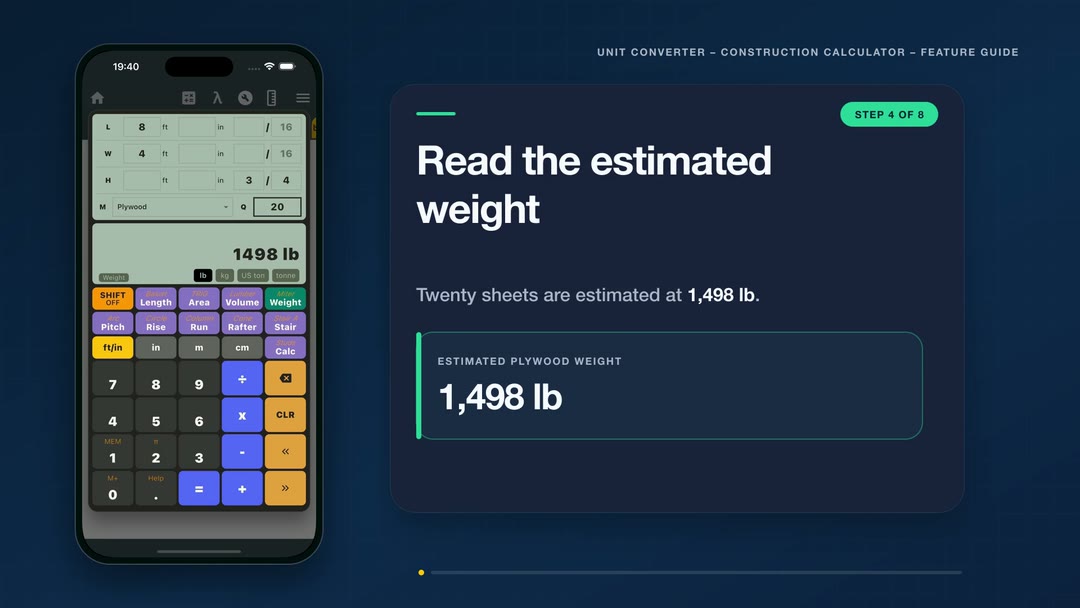
Plywood weight calculator example: twenty 4×8 sheets
Consider a delivery containing twenty sheets entered as 8 ft long, 4 ft wide, and 3/4 in thick. With Plywood selected as the material and Quantity set to 20, the calculator displays an estimated combined weight of:
- 1,498 lb
- 680 kg
- 0.75 US ton
- 0.68 tonne
These are four views of the same entered load. Tap a result-unit button to switch the display without re-entering the sheet dimensions or quantity.
How much does a 4×8 sheet of plywood weigh?
In this verified app example, one sheet entered as 4 ft × 8 ft × 3/4 in with the Plywood preset displays an estimated weight of 74.91 lb. Changing Quantity from 1 to 20 produces the 1,498 lb total shown above.
The dimensions are a useful real-world example: APA lists 4 ft × 8 ft among common plywood panel sizes and includes a 3/4-inch performance category. For planning a specific product, use the dimensions printed on its documentation and compare the estimate with its listed panel weight when available.
How to use the plywood sheet weight calculator
- Open Construction Calculator in Unit Converter.
- Select Weight mode.
- Enter 8 ft for Length.
- Enter 4 ft for Width.
- Enter 3/4 in for Height, which represents the panel thickness.
- Choose Plywood from the material list.
- Set Quantity to 20.
- Select lb, kg, US ton, or tonne for the preferred result.
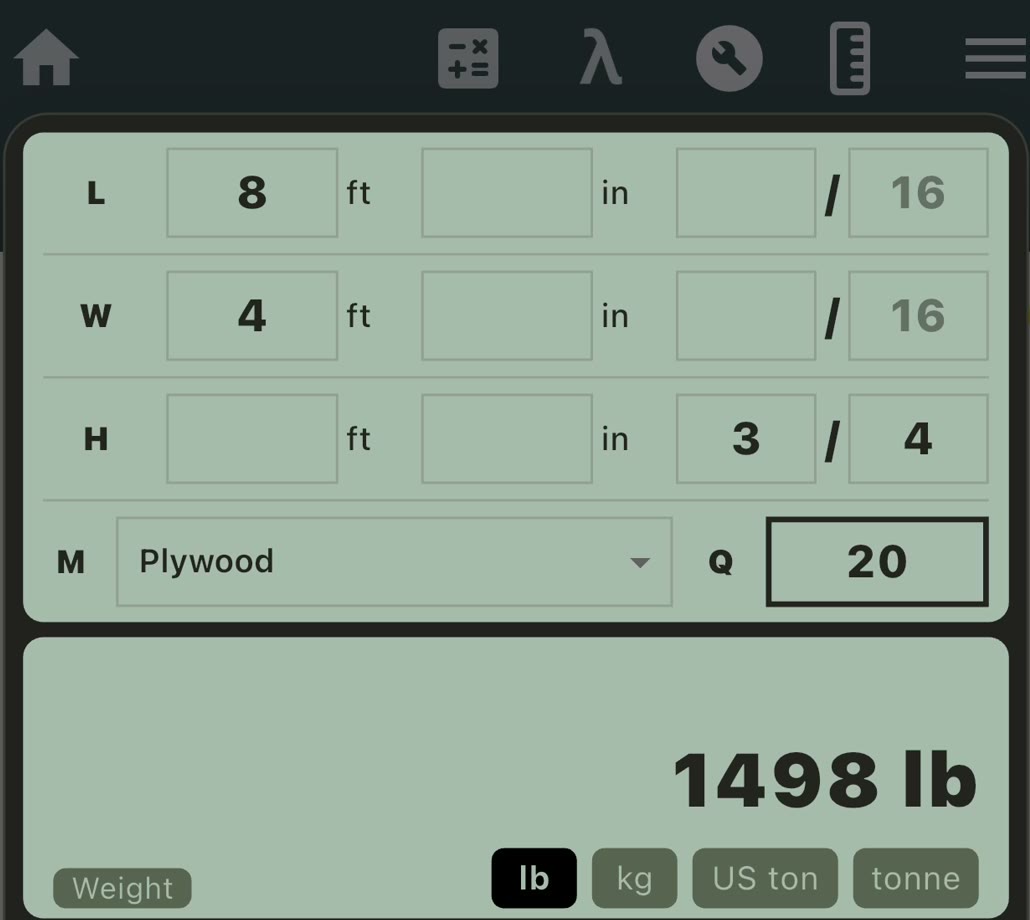
The input lines can use feet and fractional inches, decimal inches, meters, or centimeters. This makes it possible to enter the units shown on the panel information while viewing the final weight in the unit that is useful for the job.
Watch the plywood weight estimate
See how the dimensions, Plywood material preset, and quantity are entered to estimate the combined weight of twenty 4 × 8 ft sheets.
Use the plywood weight calculator in kg or tons
If a supplier document, vehicle rating, or project note uses metric units, select kg to display the same twenty-sheet example as 680 kg. You can also review the load as 0.75 US ton or 0.68 tonne.
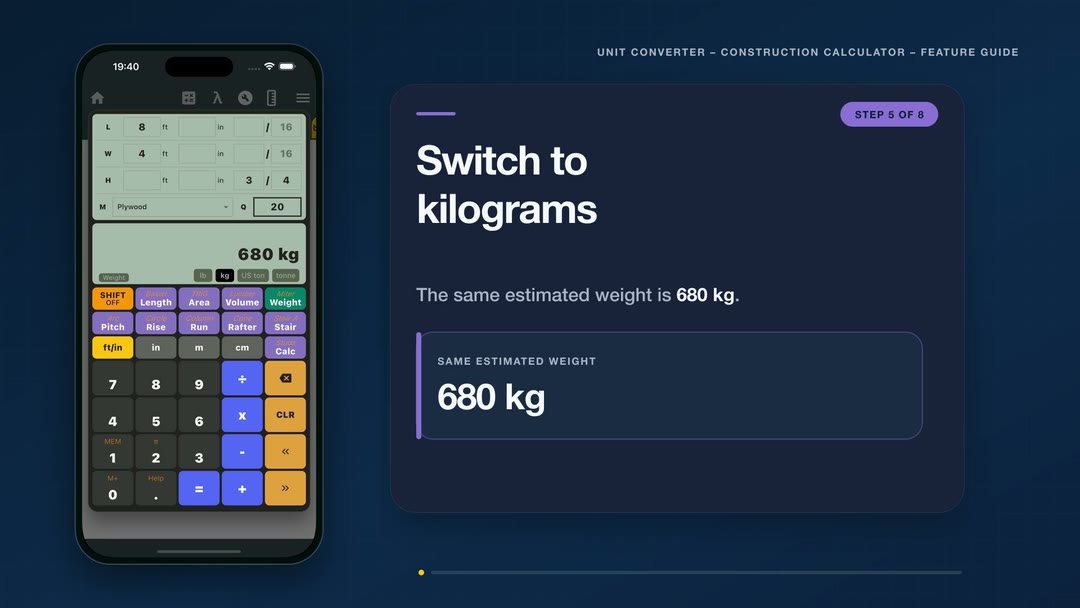
Changing the result unit does not change the entered dimensions. It simply presents the same estimated plywood load in another useful format.
How the plywood weight estimate is calculated
Weight mode first uses length, width, and thickness to find the geometric volume of one sheet. It then applies the selected Plywood material preset and multiplies the result by Quantity.
Estimated weight = volume of one sheet × selected material density × quantity
For the dimensions in this example, one entered sheet has a geometric volume of:
8 ft × 4 ft × (3/4 in ÷ 12) = 2 cu ft
Twenty identical sheets therefore represent 40 cu ft of entered material. Unit Converter handles the unit conversions, material preset, and quantity calculation together, so you can concentrate on the dimensions and number of panels in the load.
Why estimate a complete plywood load?
A single sheet may be manageable, but a stack grows heavy quickly. Estimating the combined weight can help carpenters, remodelers, contractors, and delivery drivers plan:
- pickup or delivery arrangements;
- vehicle and trailer capacity checks;
- the number of people or handling equipment needed;
- where the panels will be unloaded and stored;
- how a large order may be divided into smaller loads.
Use the calculator as an early planning step, then compare the result with the current product information and the rated capacity information for the vehicle, trailer, racks, and handling equipment involved.
Match the inputs to the plywood you are using
For the most useful estimate, enter the dimensions for the actual panel rather than assuming every plywood sheet is identical. Panel construction, species, moisture, treatment, and finished thickness can affect the product weight.
Set Quantity to 1 when you want a one-sheet estimate. For an order or delivery, enter the complete number of identical sheets. If the load contains panels with different dimensions or materials, calculate each matching group separately.
Frequently asked questions
Is there a free plywood weight calculator?
Yes. Unit Converter is free to download from Google Play and the App Store. Its Construction Calculator includes Weight mode and the Plywood material preset.
Can I estimate the weight of several plywood sheets?
Yes. Enter the dimensions for one sheet and set Quantity to the number of identical sheets. The displayed result is the estimated combined weight.
Can I calculate the result in kilograms?
Yes. The result can be displayed in pounds, kilograms, US tons, or tonnes. You can switch result units without entering the dimensions again.
What measurements do I need?
Enter the panel length, width, and thickness, select Plywood as the material, and add the quantity. The calculator uses these values to estimate the total weight.
Why should I check the product information?
The app provides a fast material-weight estimate from the entered geometry and Plywood preset. The product documentation can provide a manufacturer-specific panel weight for final pickup or transport planning.
Is Plywood Weight Calculator a separate download?
No separate download is needed. The plywood workflow is included in the Construction Calculator inside Unit Converter.
Estimate your plywood load
Enter one panel, set the quantity, and review the complete load in the weight unit you need. For solid lumber volume and pricing, see our board foot calculator guide. To explore the wider collection of building and measurement tools, visit our Construction Calculator app guide.
Download Unit Converter on the App Store for iPhone or iPad, or get Unit Converter on Google Play for Android.