Scoreboard Plus includes a dedicated pickleball scoreboard for Android that keeps your points, serving information and games together. It’s free to download and supports both singles and doubles.
Whether you’re playing a quick practice game or meeting friends for doubles, a clear scoreboard gives everyone a place to check the score. Name the players or teams, choose your game type and start scoring, then save the result when you’re ready for a rematch.

How to keep track of pickleball score
Before each serve, check the score and who’s serving, then call the score aloud. For traditional side-out scoring, keep these basics in mind:
- Points and winning: The serving side earns a point when it wins a rally. Games normally go to 11, with a two-point lead needed to win.
- Calling the score: In singles, say the server’s score followed by the receiver’s. In doubles, add the server number, 1 or 2. A call of 7–3–2 means the serving team has seven points, the receiving team has three, and the second server is serving.
- Changing servers: Doubles starts at 0–0–2 because the opening team gets one server, rather than two, before the serve passes to the opponents. After that, the first server’s lost rally passes the serve to their partner; the second server’s lost rally passes it to the other team.
These basics follow USA Pickleball’s rules summary and side-out scoring guide.
For casual games and practice matches, use Scoreboard Plus as a pickleball scoreboard app: update the points and serving label as you play, so you have a visible reference before the next serve.
Set up a singles or doubles game
Open the Pickleball board in Scoreboard Plus. Before the first serve, take a moment to make the board match the people and game in front of you:
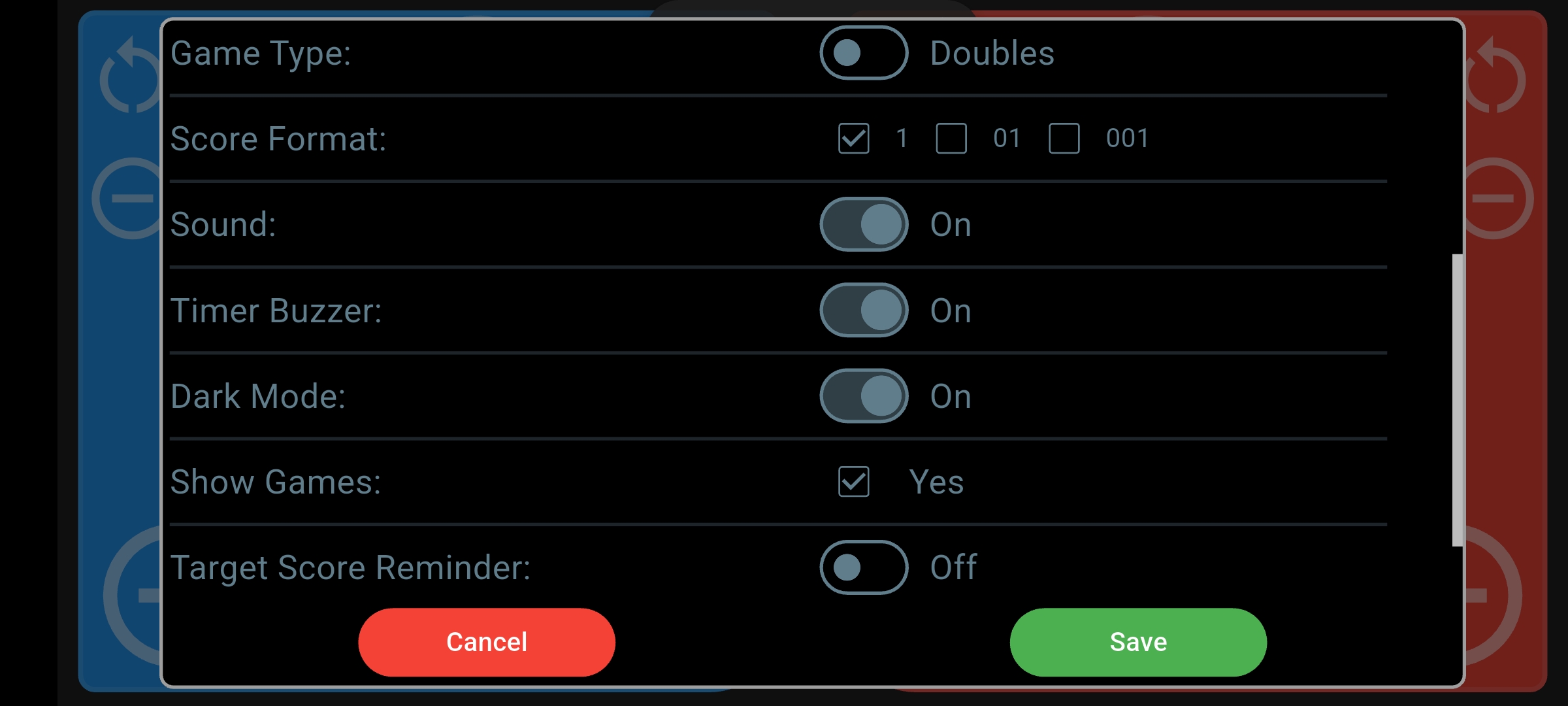
- Choose Singles or Doubles. Open settings and use Game Type to select the format.
- Name both sides. Add player names for singles or team names for doubles. Choose colors and avatars to make each side easy to recognize, or select saved profiles.
- Set the serving state. Tap the serving label on the board to move through the serving sequence until it matches the start of your game.
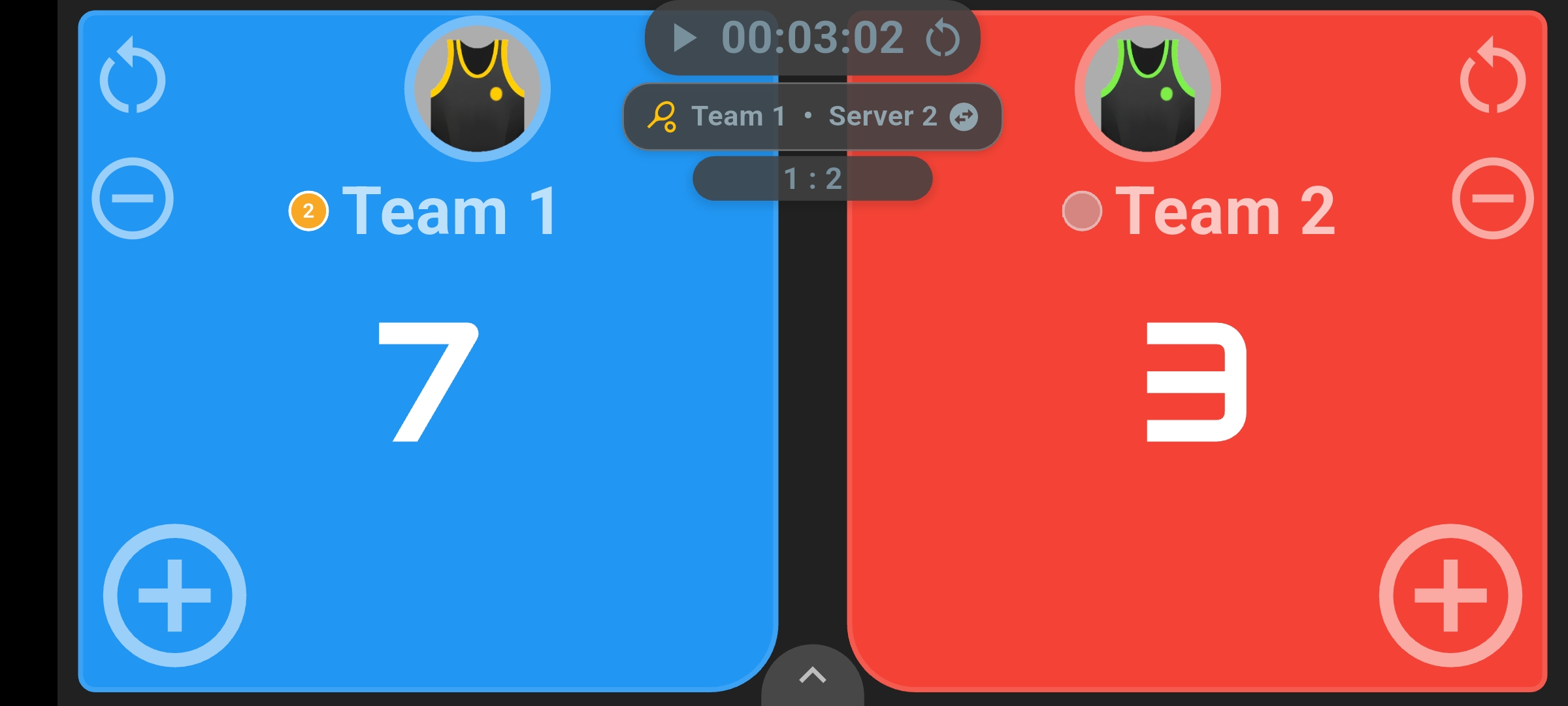
The two large score panels stay at the center of the experience. Singles shows the serving player; doubles also shows the server number, so the board fits the format you’ve chosen.
Keep pickleball doubles scoring easy to follow
During doubles, the point totals are only part of what you need to remember. You also need to know which team is serving and whether it’s the first or second server. Scoreboard Plus keeps the serving team and server number visible beside the scores.
In the example above, Team 1 has seven points and Team 2 has three. The center label reads Team 1 · Server 2. You can check the score and serving state together before the next serve.
Tap that serving label when you need to move serving forward. In doubles, it advances from the first server to the second, then to the other team. In singles, the same control switches the serving side. This gives the person keeping score a quick way to update the board as play moves on.
Add points, correct a tap and track games
Tap the large score or the plus control on the appropriate side to add a point. If you enter a point on the wrong side or tap twice, use the minus control to correct it. The large, contrasting panels make it easy to see which score you’re changing.
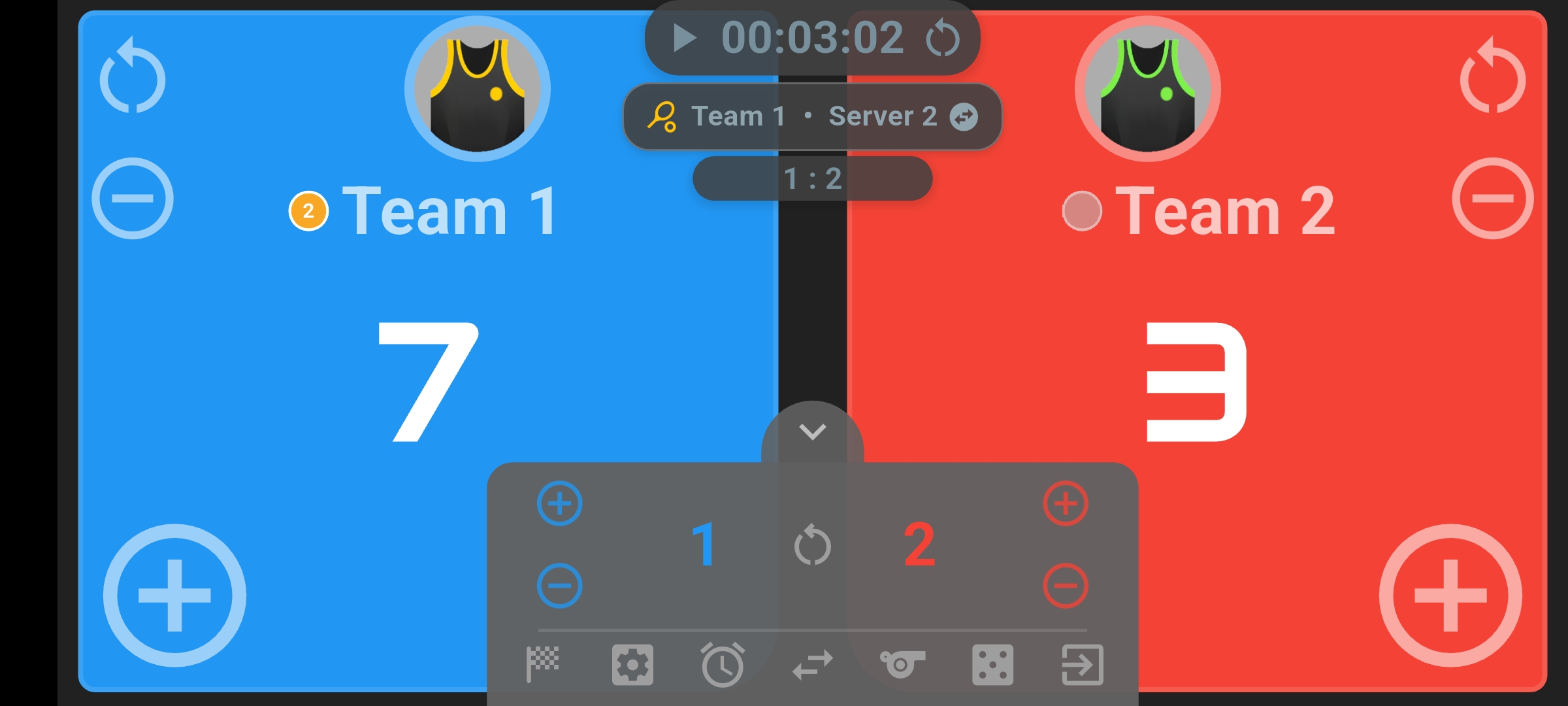
Playing several games with the same group? Open the controls using the arrow at the bottom of the board to adjust each side’s games won. When you add a game, you can reset the point scores for the next one while keeping the game count.
That keeps points and games won separate: the large numbers show the current game, while the smaller game totals help you follow the session.
Use a timer or a target-score reminder
The optional timer lets you count up to see how long a game lasts or count down for a timed practice session. Start and pause it from the scoreboard, and choose whether to use the timer buzzer.
You can also turn on Target Score Reminder in settings and choose 11, 15 or 21. An amber reminder appears when a side reaches the selected point total, giving you a visible cue while you keep score.
A pickleball score tracker for your next rematch
A saved result is useful when you play the same opponents every week. At the end of the match, open the controls, tap the finish flag and leave Save Match to History selected. You can return to History to review the saved match result.
Choose profiles for the two sides before playing if you want the saved match linked to their records. For singles, that can be your profile and your opponent’s; for doubles, you can use a profile for each team. Those records build up wins, losses, draws and win rates over time.
Head-to-Head lets you compare two profiles and look back through their shared results. It adds a little history to the next friendly challenge, without having to remember who won the last few meetings.
Frequently asked questions
Is Scoreboard Plus a free pickleball score keeper app?
Yes. Scoreboard Plus is free to download on Android from Google Play, and the Pickleball board is included in the app.
Can I use this pickleball scoring app for singles and doubles?
Yes. Choose the format with Game Type in settings. The board shows the serving side for singles and adds the server number for doubles.
Can I correct a score during a game?
Yes. Use the plus and minus controls to adjust either side’s points. You can update the serving state with the serving label and adjust games won from the bottom controls.
Can I save pickleball match results?
Yes. Finish the match with Save Match to History selected. Selecting profiles before play also connects the saved result to statistics and Head-to-Head comparisons for those two sides.
Can I display the pickleball scoreboard on a TV?
Yes. Use your Android device’s screen mirroring feature to show Scoreboard Plus on a compatible TV. You can keep scoring on your phone or tablet while players and spectators follow the scoreboard on the big screen.
Have your scoreboard ready for the next game
For games beyond pickleball, explore the other sports, head-to-head and group modes in our scoreboard app.
Set up the players, keep the score and serving information visible, and save the result for next time. Download Scoreboard Plus free on Google Play and open the Pickleball board for your next singles or doubles match.