Keeping score should take a quick tap, not interrupt the game. Scoreboard Plus is free to download on Android and gives you clear scoreboards for head-to-head challenges, group games, cards, board games and sports.
If you’re looking for the best scoreboard app for Android, start with how you play: tap points as you go, record scores after each round, or use a dedicated sports board. Scoreboard Plus puts all three approaches in one app, with player profiles and saved results for the next rematch.

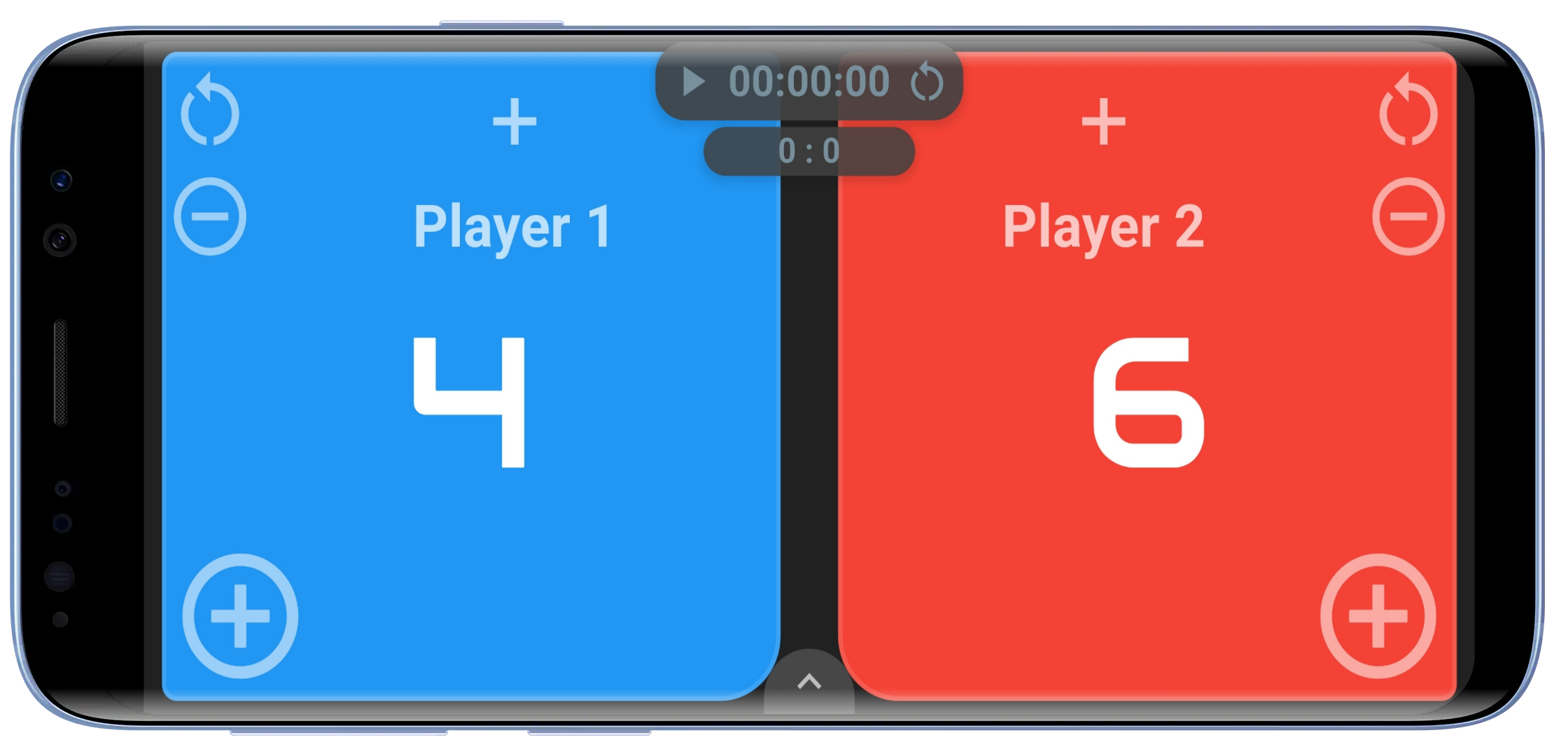
Scores, rounds and a timer for two opponents.
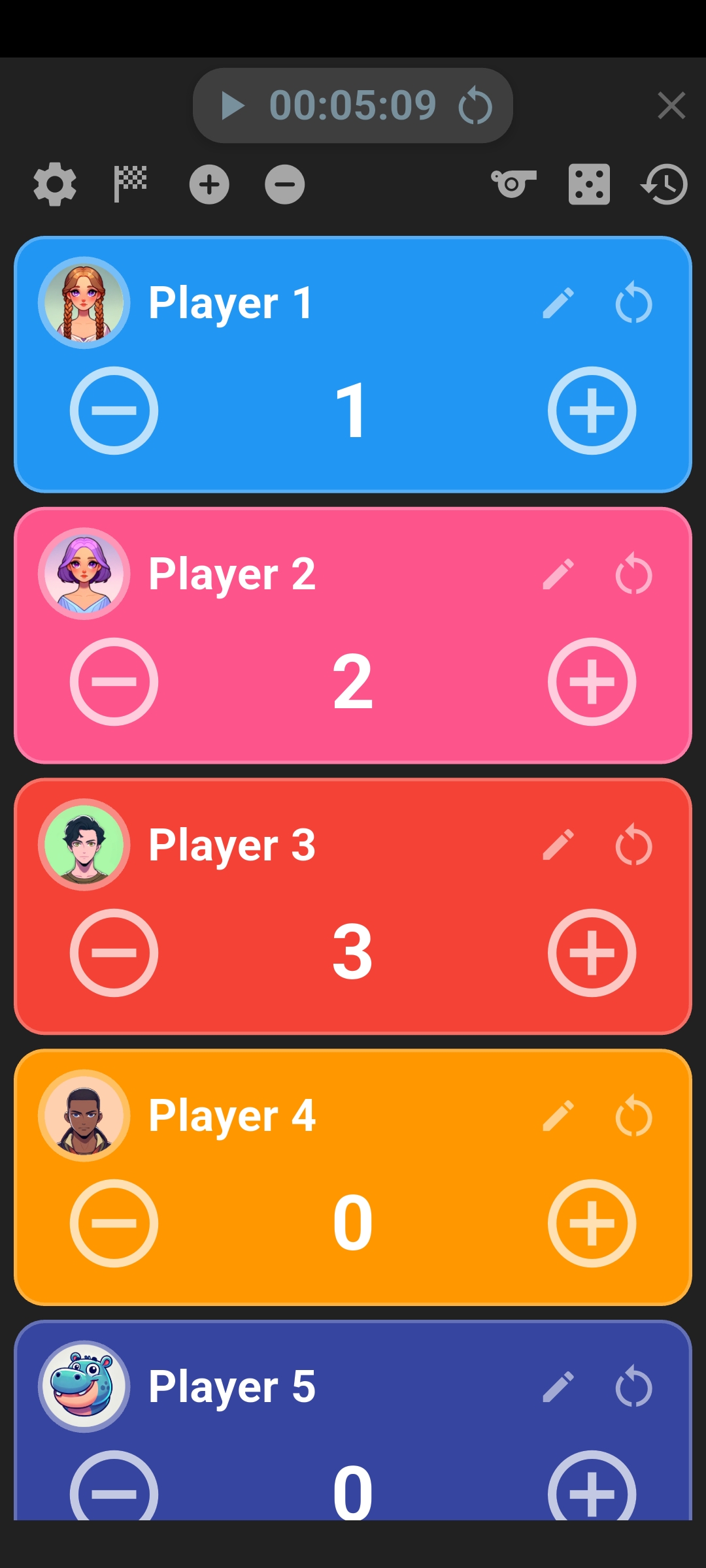
Keep scores for up to 16 players on one board.
Choose the scoreboard that fits your game
A quick contest between two friends needs a different layout from a card game where everyone adds up points at the end of a hand. Choose the board that matches the way your game is scored:
- Two Player Scoreboard: large score panels for two opponents, with rounds and an optional timer.
- Multiplayer Scoreboard: a flexible score counter for 2–16 players, useful for quizzes, party games and group challenges.
- 3–4 Player Scoreboard: a shared layout for a small group, with individual points and round tracking.
- Board Game Score Keeper: a round-by-round score sheet for 2–6 players, with automatic totals.
- Table Tennis Scoreboard: points, games and automatic serving changes for ping-pong matches.
- Pickleball Scoreboard: singles or doubles scoring with serving indicators and game tracking.
- Basketball Scoreboard: team scores, game and shot clocks, periods, fouls and timeouts.
- Soccer Scoreboard: goals, match time, halves, shots and saves.
Tap points as you play, from two opponents to a whole group
For a head-to-head challenge, open the two-player scoreboard and give each opponent a name and color. The large score panels make the result easy to check, while plus and minus controls let you add a point or correct a mistaken tap. Round tracking keeps successive games together.
When more people join, use the 3–4 Players board or Multi Player. The multiplayer scoreboard supports up to 16 players, each with their own score. It’s a useful score counter app for a family quiz, a classroom team challenge or a party game where points are awarded throughout play.
You can choose how many points a tap adds or removes. If each correct answer earns five points, set that before the quiz starts. Names, colors and avatars help everyone recognize their own score, and an optional target alert in Multi Player gives you a reminder when someone reaches the goal.
A score keeper app for card games and board games
When points arrive at the end of a hand or round, a score sheet is often more useful than a set of counters. Score Keeper gives 2–6 players their own columns, with a row for each round and running totals below.

Tap a player’s round cell to enter their points. The app adds them to the total, so you can get on with the next hand instead of reaching for a calculator. You can enter positive or negative points and correct an earlier entry if someone spots a scoring mistake.
Choose whether the highest or lowest total wins to suit your game. That makes the same sheet useful for games where players collect points and games where they try to avoid them. A built-in dice roller is also available when you need a quick roll during play.
A scoreboard app with timer controls
Some games need a time limit as well as a score. The general 2 Player, 3–4 Players and Multi Player boards offer optional count-up or countdown timing, keeping the clock alongside the points.
Count down a quiz round or a practice challenge, or count up to see how long a game lasts. Set the timing to suit the activity before you start, then manage points from the same board. For sports with their own match structure, the dedicated scoreboards bring the relevant clock or game controls together.
Keep the results for your next rematch
If you regularly play with the same people, create player profiles and select them when setting up a game. Saved names, colors and avatars make the next setup quicker and give each player a familiar place on the board. You can also create your own avatars and reuse them.
When the game ends, finish the match and choose to save it. History keeps the result, while selected profiles build a record of matches, wins, losses, draws and win rate. You can check results by scoreboard type or look back through recent games.

Head-to-Head adds a fun reason to come back. Choose two profiles to see their meetings, wins, draws and recent results together. When someone claims they always win, you have the record ready for the rematch.
Switch to a dedicated board when you’re playing sports
The general boards handle flexible scoring, while the sports boards put the controls for a particular game in front of you.
Table tennis scoreboard with automatic serving changes
Choose 11- or 21-point games and a match length of one, three, five or seven games. The board handles serving changes, deuce and the two-point winning margin as you record each rally. You can undo a mistaken point and review completed game scores during the match.
Pickleball scoreboard for singles and doubles
Set up singles or doubles, choose the first server and keep points, games and serving indicators visible. An optional timer and target-score reminder help you follow the match from the same screen.
Basketball scoreboard with game and shot clocks
Keep team scores alongside the game clock, periods and shot clock. Foul and timeout tracking bring the main game information together for pickup games, practice and friendly matches.
Soccer scoreboard with match timing
Track goals and match time, move through the halves, and record shots and saves. Halftime timing keeps the break with the rest of the match controls.
Start your first game
- Open a scoreboard. Choose a points counter, a round-by-round sheet or the relevant sports board.
- Set up the players. Enter names or select profiles, then adjust the points, rounds or timing your game needs.
- Keep score and save the result. Add points during play or enter them after each round. When you’re done, finish the match and choose whether to save it to History.
Frequently asked questions
Is Scoreboard Plus a free scoreboard app?
Yes. Scoreboard Plus is free to download from Google Play for Android.
Can I keep score for more than four players?
Yes. Multi Player supports 2–16 players for live point tracking. For games scored round by round, Score Keeper provides a separate table for 2–6 players with automatic totals.
Can I use it for a game with its own scoring rules?
Yes. Use a general scoreboard and adjust the points added or removed with each tap, or enter each player’s round score in Score Keeper. The round sheet also lets you choose whether the highest or lowest total wins.
Can I save scores and compare regular opponents?
Yes. Select player profiles before playing and save the completed match. You can then revisit the result in History, check player statistics and compare two profiles in Head-to-Head.
Bring Scoreboard Plus to your next game
Whether you’re keeping a quick tally for two friends or recording a whole evening of rounds, choose a board, add the players and start scoring. Download Scoreboard Plus free on Google Play and have a scoreboard ready for your next game.