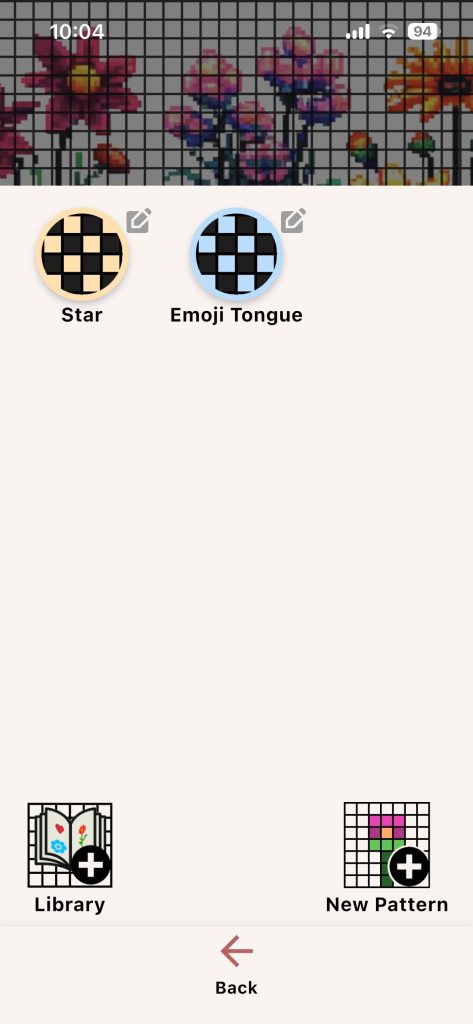
Pattern Home is the main entry for simple chart-based pattern workflow in Knitting Row Counter.
What You Can Do
- View saved patterns
- Open a pattern in work mode
- Open a pattern in edit mode
- Create a new pattern by grid size
- Import from Library
- Preview library patterns before import
New Pattern Flow
- Tap New Pattern.
- Choose grid size.
- Name your pattern.
- Edit in Pattern Designer.
Library Flow
- Open Library.
- Browse or preview a pattern.
- Import to your list.
Example: Import a basic colorwork chart from Library, then customize selected cells in Pattern Designer to match your yarn palette.


Quick Links to Guides
- Knitting Row Counter Manual
- Getting Started with Knitting Row Counter
- Create or Edit a Project
- Edit Part
- Edit Counter
- Edit Reminder
- Work on a Knitting Project
- Work Mode: Notes and Project Info
- Work Mode: Files (Images and PDF)
- Pattern Home Screen
- Pattern Designer
- Work on Pattern
- Built-in Knitting Tools
- Stats and Streak Calendar
- FAQ and Troubleshooting