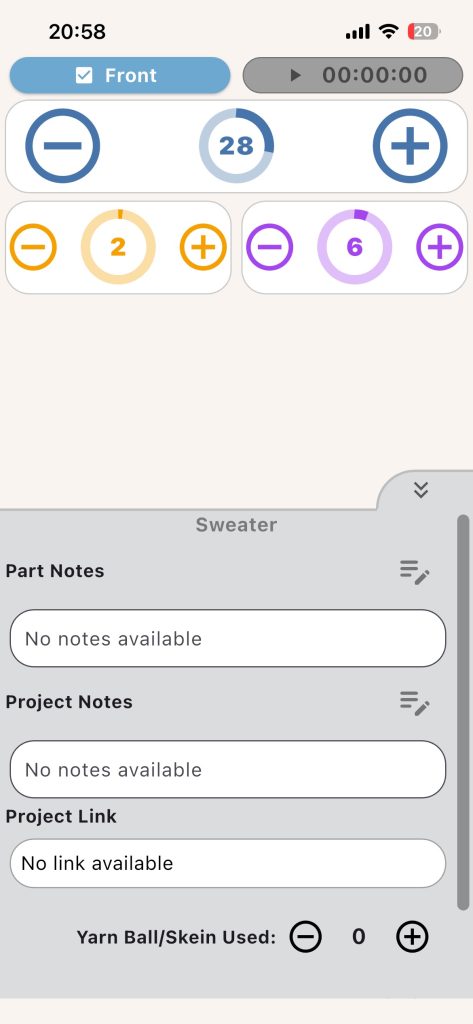
The Notes panel keeps key instructions close while your counters stay active.
What You Can View
- Part notes
- Project notes
- Project link
- Yarn used controls
- Start date
Quick Edits
- Edit part notes
- Edit project notes
- Adjust yarn used with plus/minus buttons
Best Note Style
Use short, actionable lines:
- Rows 1-10: rib
- Switch to 4.5 mm at row 24
- Decrease every RS row
Example: Open Notes to confirm your shaping instruction, then return to the Row counter and continue without leaving work mode.


Quick Links to Guides
- Knitting Row Counter Manual
- Getting Started with Knitting Row Counter
- Create or Edit a Project
- Edit Part
- Edit Counter
- Edit Reminder
- Work on a Knitting Project
- Work Mode: Notes and Project Info
- Work Mode: Files (Images and PDF)
- Pattern Home Screen
- Pattern Designer
- Work on Pattern
- Built-in Knitting Tools
- Stats and Streak Calendar
- FAQ and Troubleshooting