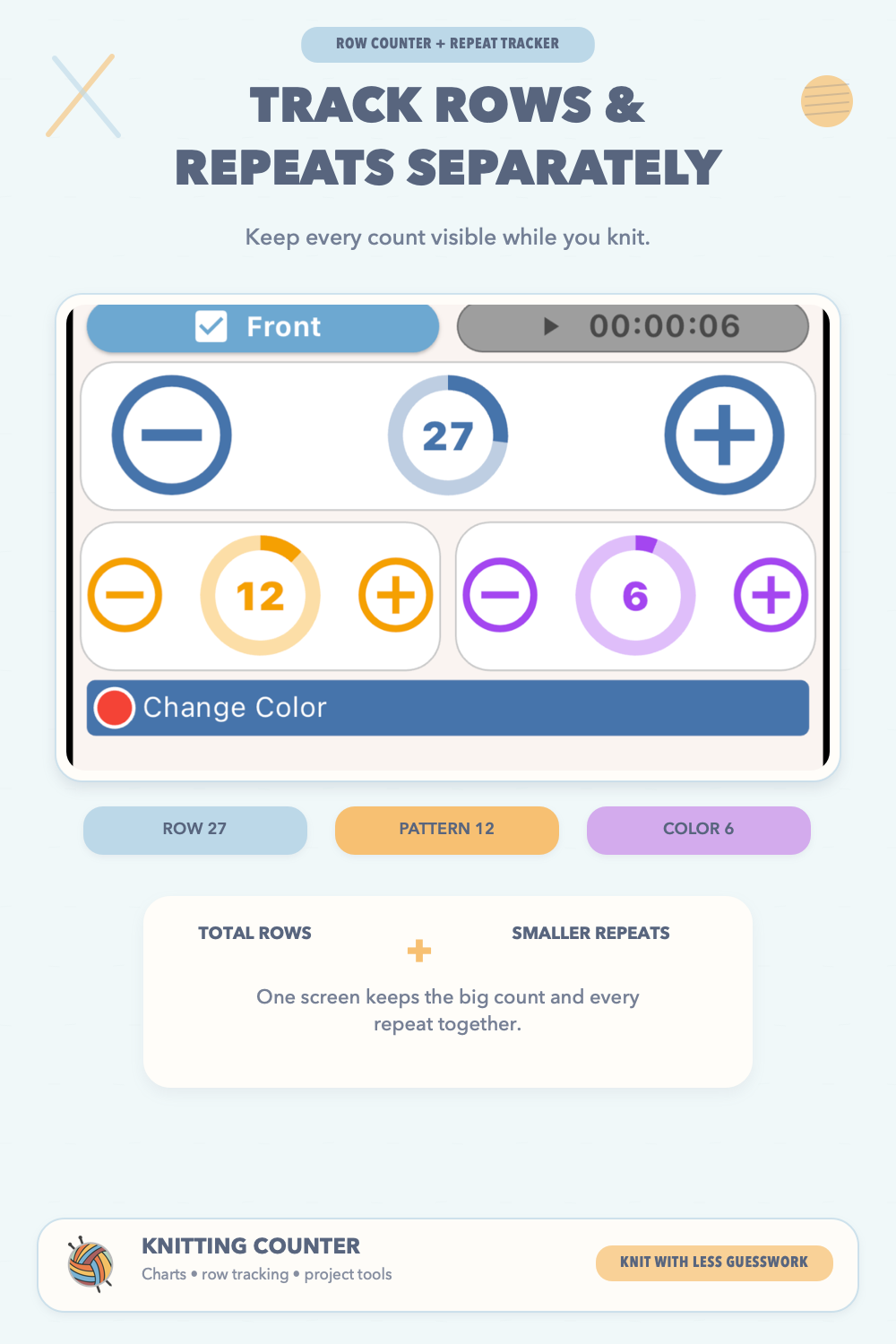
This is your active knitting screen. Most real-time Row counter use happens here.
Keep your pattern, counters and progress together. Download Knitting Counter for iPhone, iPad and Android:


Top Row
- Part selector
- Built-in timer
Counter Area
- Main circular Row counter
- Secondary counters (if configured)
- Plus/minus controls for fast updates
- Progress visuals for quick status checks
Reminder Area
Active reminder messages appear automatically based on current counter values.
Bottom Commands
- Home
- Tools
- Notes
- Files
Session tip: Before you continue knitting, confirm the selected part and current row value. This prevents accidental miscounts.
Example: While knitting a sleeve, use the main Knitting Counter for total rows and a secondary counter for stripe repeats.
Quick Links to Guides
- Knitting Row Counter Manual
- Getting Started with Knitting Row Counter
- Create or Edit a Project
- Edit Part
- Edit Counter
- Edit Reminder
- Work on a Knitting Project
- Work Mode: Notes and Project Info
- Work Mode: Files (Images and PDF)
- Pattern Home Screen
- Pattern Designer
- Work on Pattern
- Built-in Knitting Tools
- Stats and Streak Calendar
- FAQ and Troubleshooting