Shaping is one of the small details that can make a knitted or crocheted project look beautifully balanced. The idea is simple: add or remove a certain number of stitches across a row. Working out where each increase or decrease should go, however, can interrupt the rhythm of making.
Our increase and decrease tools in Knitting Row Counter do that calculation for you. Enter your current stitch count, choose how many stitches you want to add or remove, and the calculator creates an evenly spaced set of instructions. A scroll-able stitch diagram underneath the result gives you a quick visual guide, with matching colors marking repeated groups.


Increase Calculator
The increase calculator includes several common knitting methods, plus a single crochet option. Choose the method required by your pattern before calculating, as some increases are worked between stitches while others are made in an existing stitch.
M1 (Make 1)
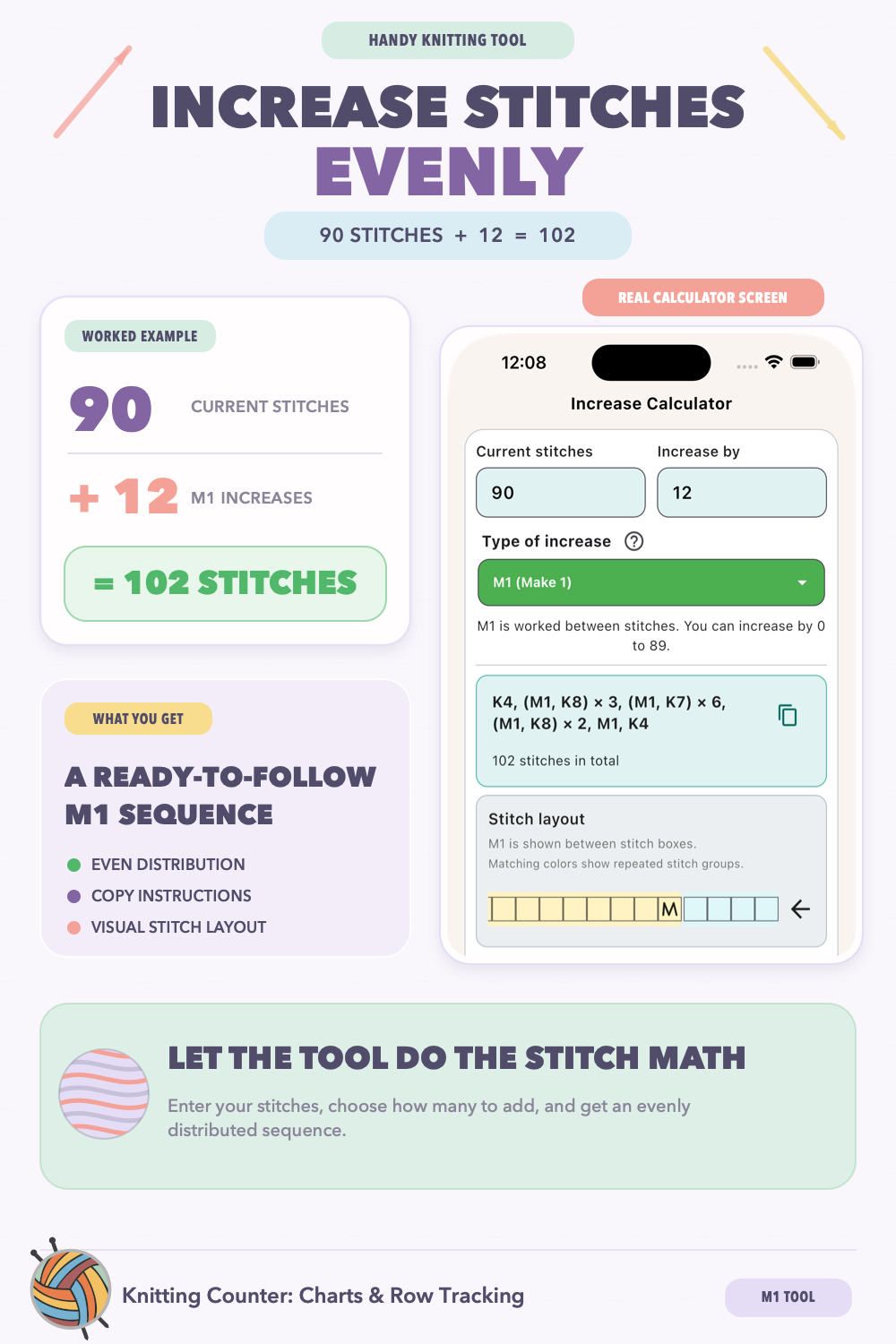
M1 creates a new stitch from the strand running between two stitches. It is a useful choice when you want a neat increase without the more visible eyelet made by a yarn over.
KFB (Knit Front and Back)
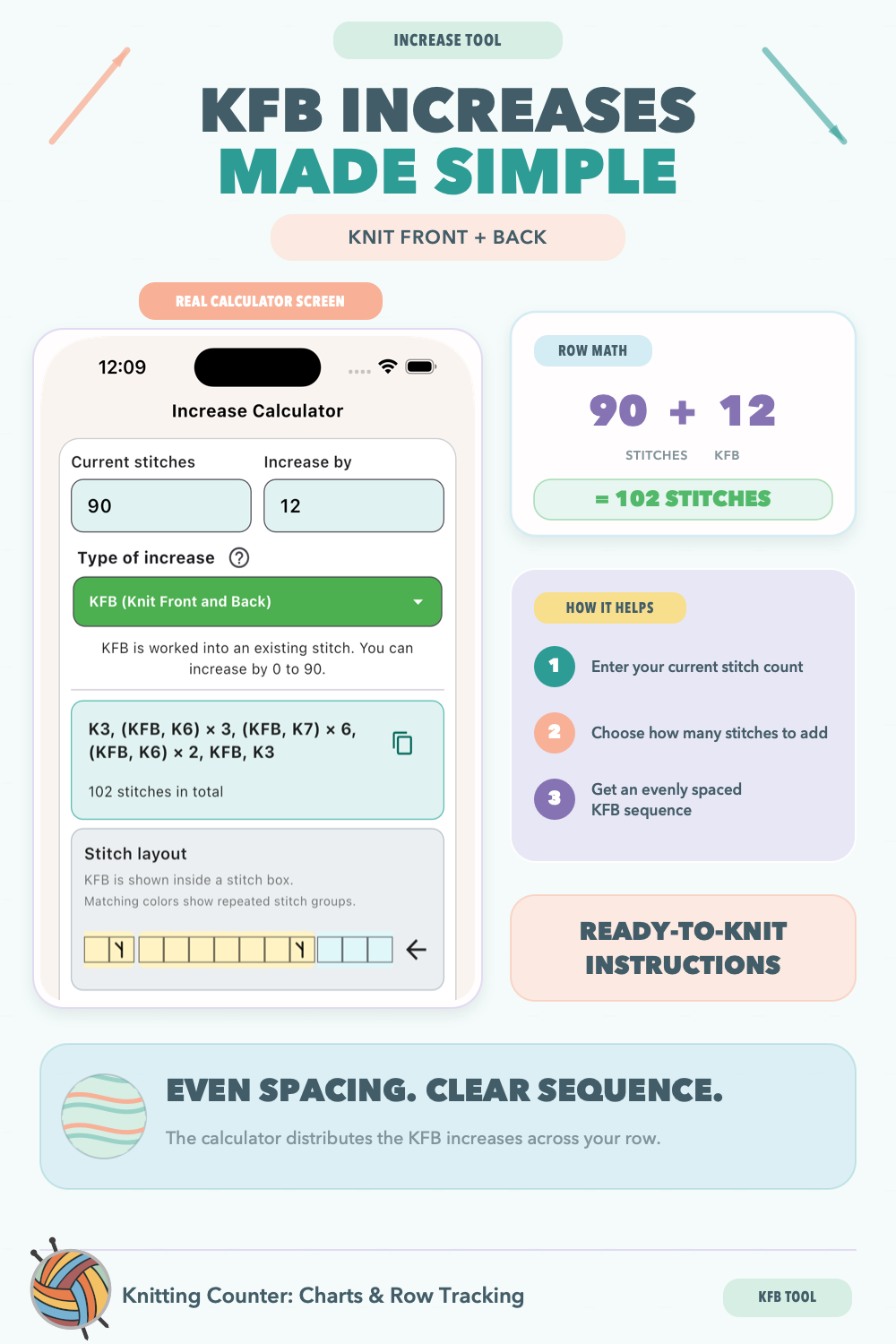
KFB makes two stitches from one by knitting into the front and then the back of the same stitch. It is simple to work and creates a small, visible bump at the increase.
YO (Yarn Over)
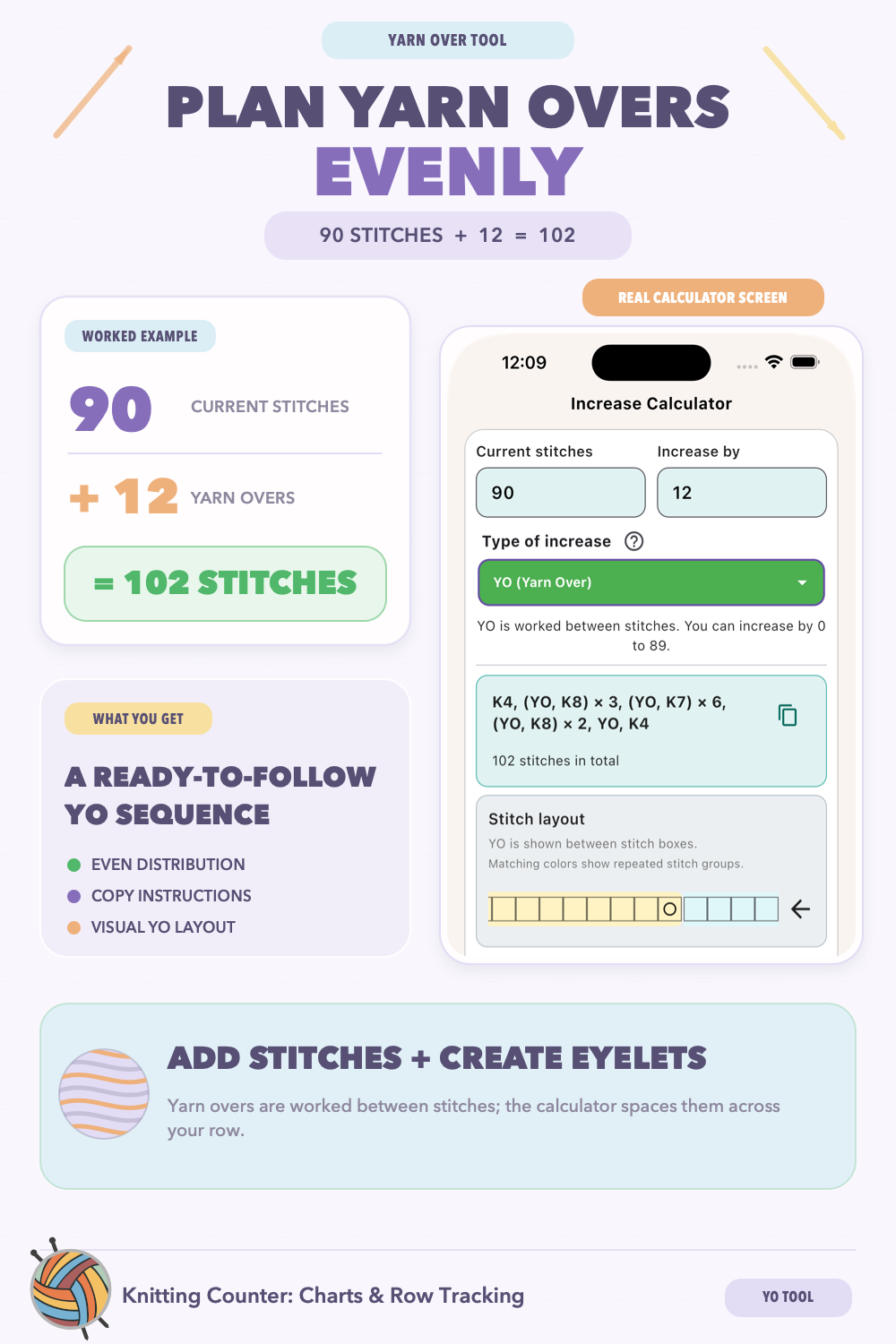 A yarn over places the yarn over the needle to create a new stitch between two existing stitches. It also leaves a decorative eyelet, making it especially useful for lace and openwork patterns.
BCO (Backwards Loop Cast-On)
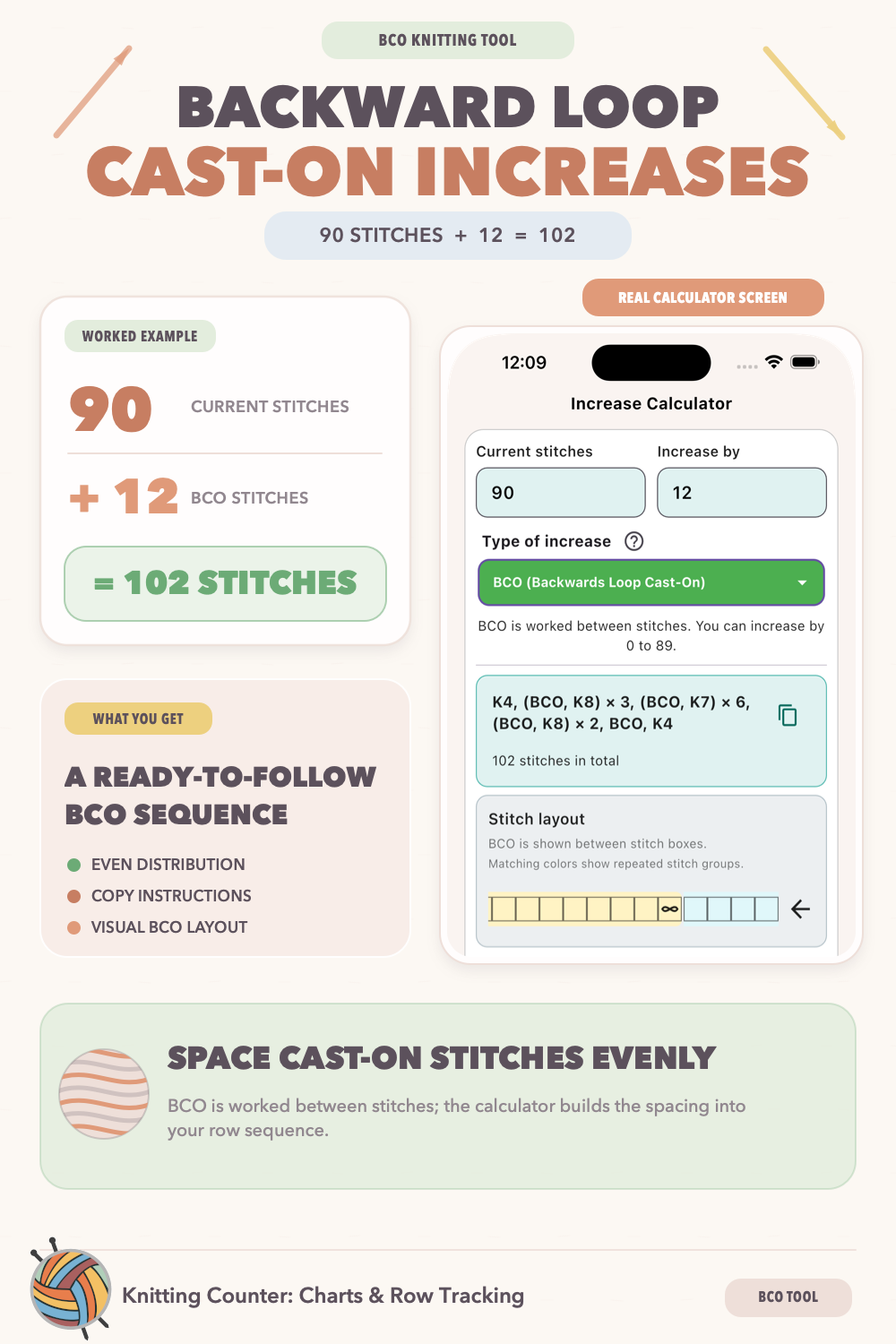 The backwards loop cast-on adds a new loop between stitches. It is a quick way to add stitches within a row and is often useful when several new stitches need to be introduced without working into the surrounding stitches.
LI (Lifted Increase)
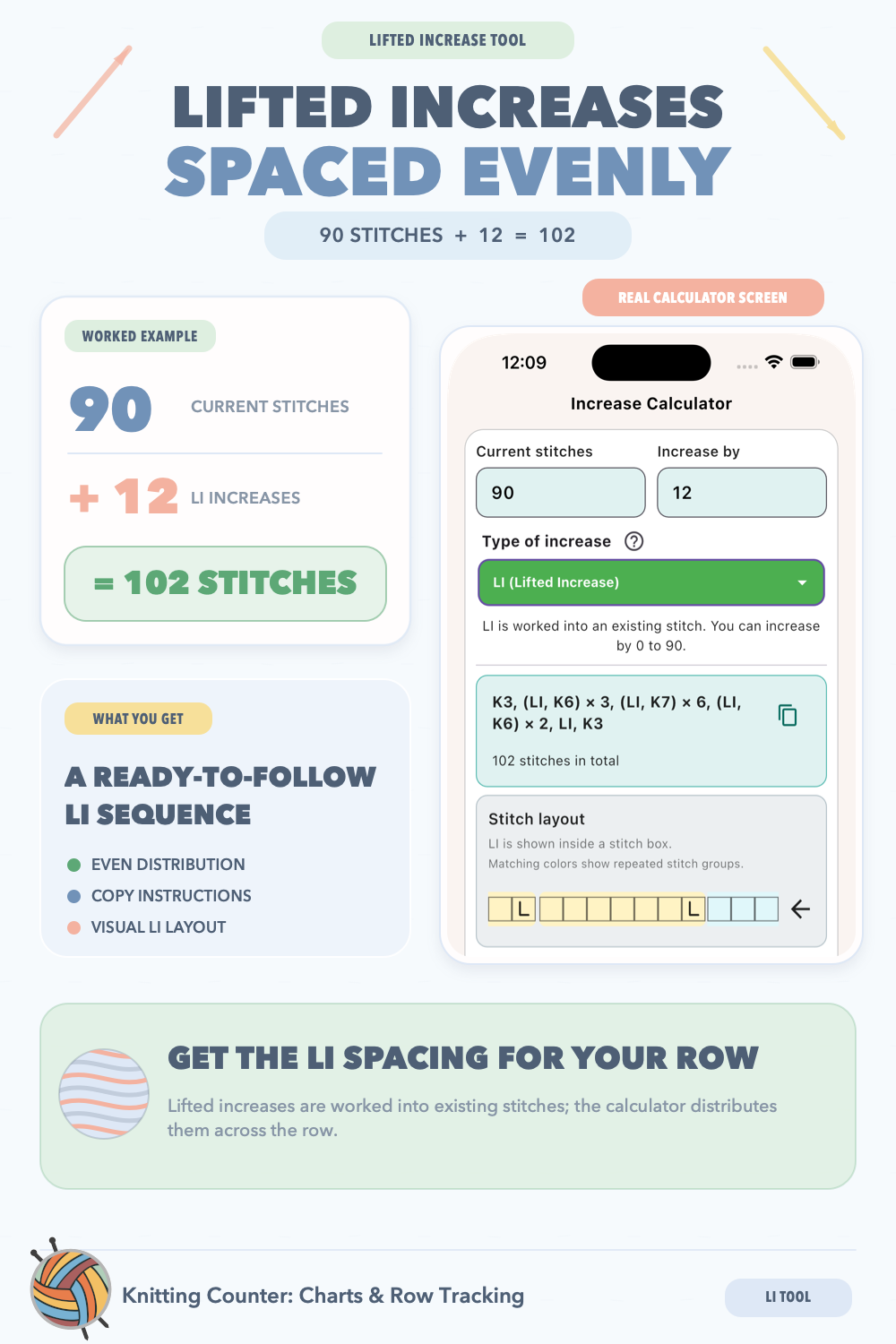 A lifted increase forms a new stitch by lifting part of a stitch from the row below. It blends smoothly into the fabric and is a good option when you want a subtle increase without a hole.
2SC (Single Crochet Increase)
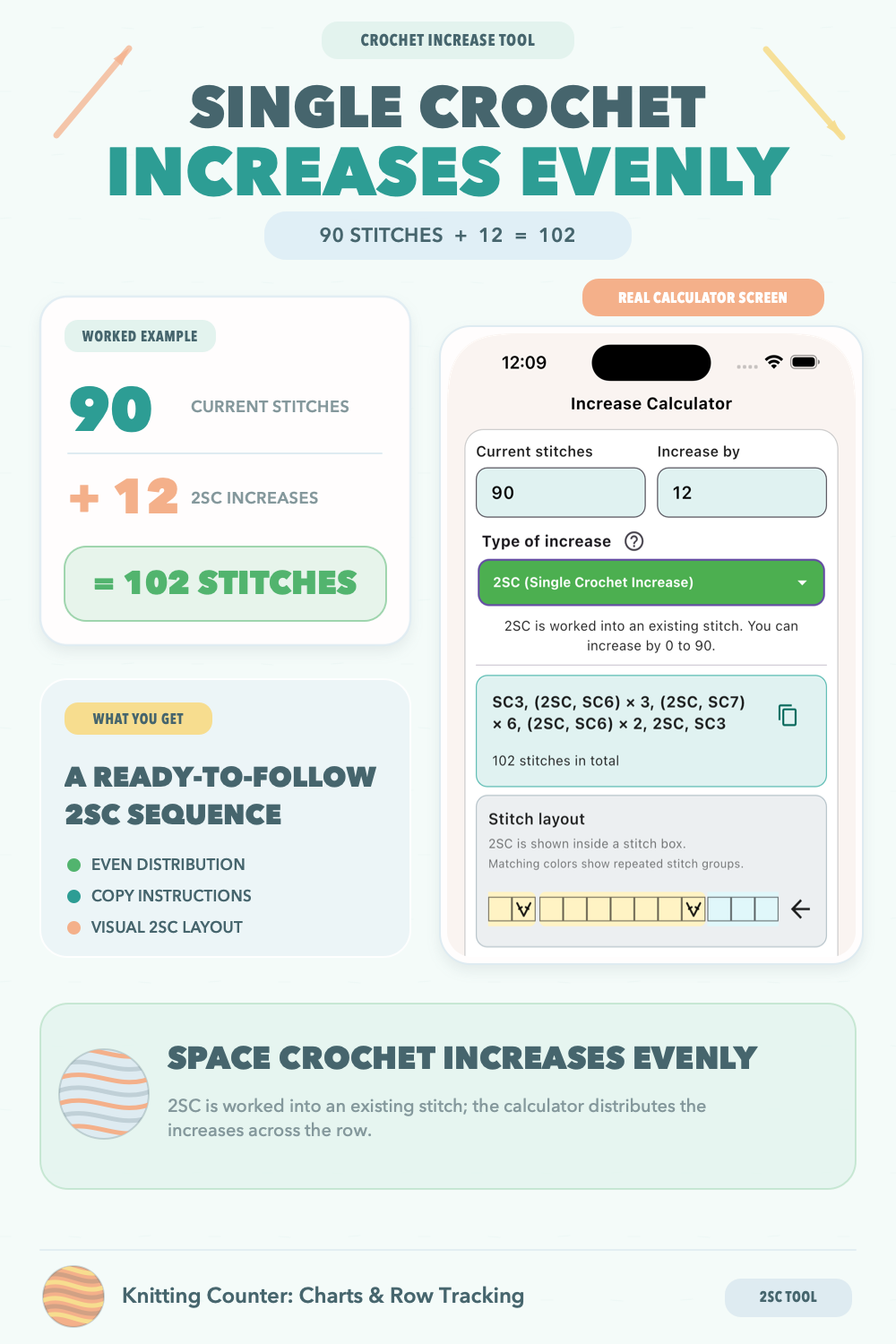 For crochet, a single crochet increase is made by working two single crochet stitches into the same stitch. This turns one stitch into two and is commonly used when shaping circles, toys, and curved pieces.
Decrease Calculator
The decrease calculator spaces decreases as evenly as possible across the row. Select whether you are knitting or crocheting, then enter your current stitch count and the number of stitches you want to remove.
Knitting (K2tog)
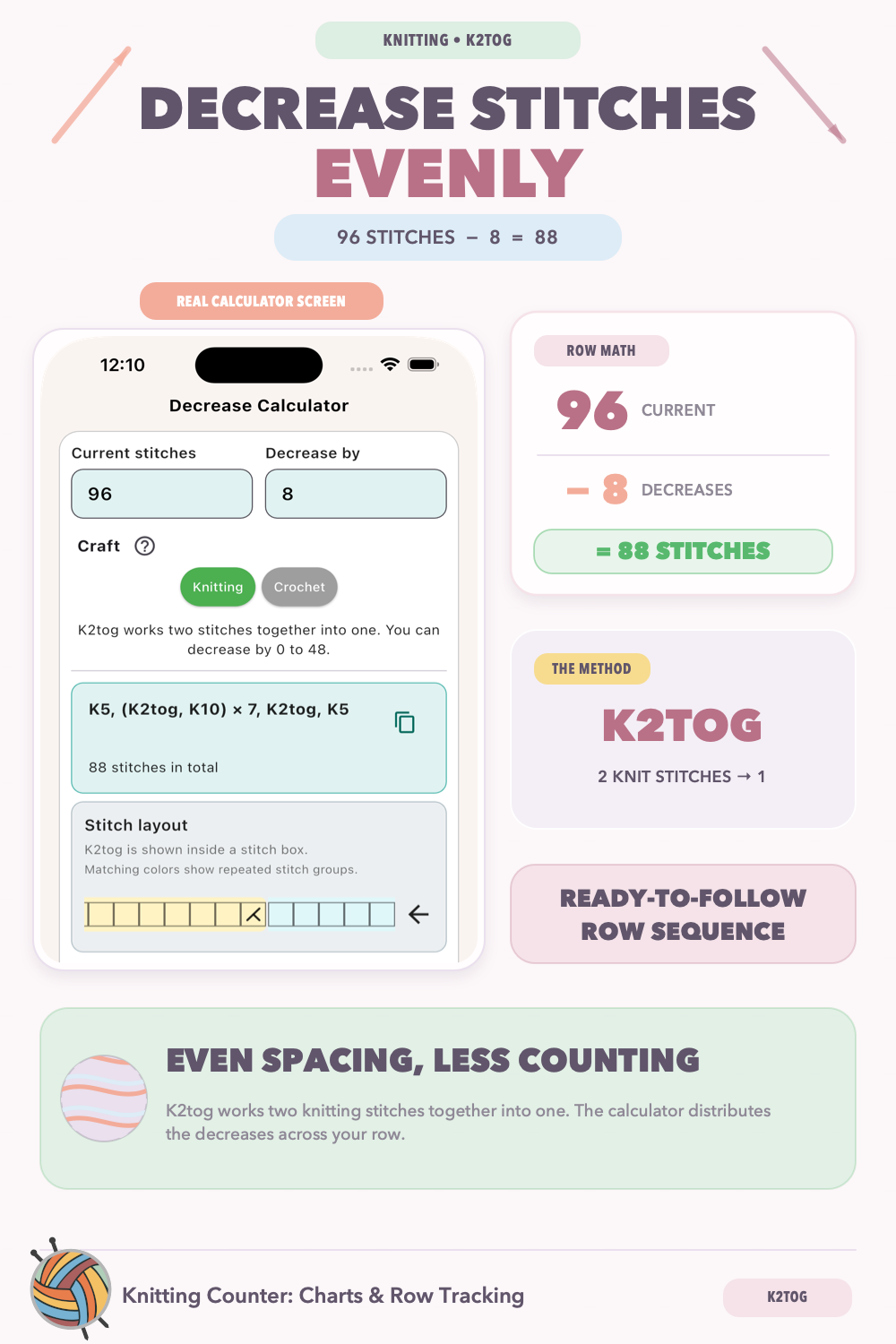 In knitting mode, the instructions use K2tog: knit two stitches together to turn two stitches into one. The result shows where each K2tog should be worked and how many ordinary knit stitches belong between the decreases.
Crochet (SC2tog)
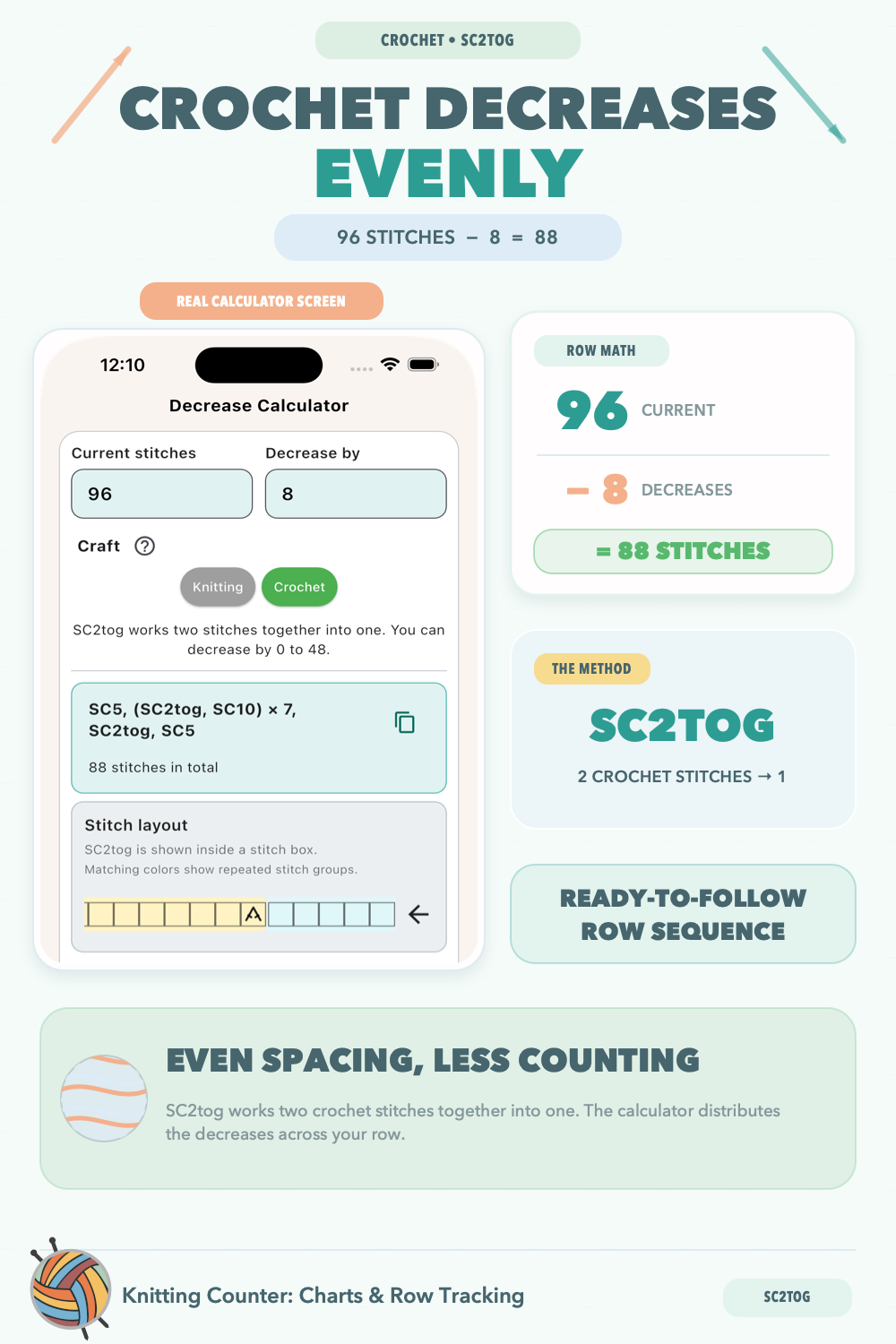 In crochet mode, the instructions use SC2tog: work two single crochet stitches together so they become one. The calculator distributes these decreases across the row while keeping the spacing as balanced as possible.
Reading Your Result
The written instruction is designed to read like a familiar pattern line. For example, a section in parentheses followed by “x 9” should be repeated nine times. The final stitch count is shown below the instruction, and the scroll-able visual layout lets you check the placement before you begin the row.
Whether you are adjusting a pattern, shaping a garment, or designing something of your own, these tools make the arithmetic easier to manage so you can stay focused on the making.