
Take Control of Every Count with Confidence – Multi Counter is a flexible counter app for iPhone and iPad designed for anyone who needs a clean, reliable way to track numbers throughout the day. Whether you are looking for a tally counter app for inventory, habits, sports, work, or daily routines, our iOS counting app gives you a simple system that stays easy to use.
Powerful tools for flexible and personalized counting:
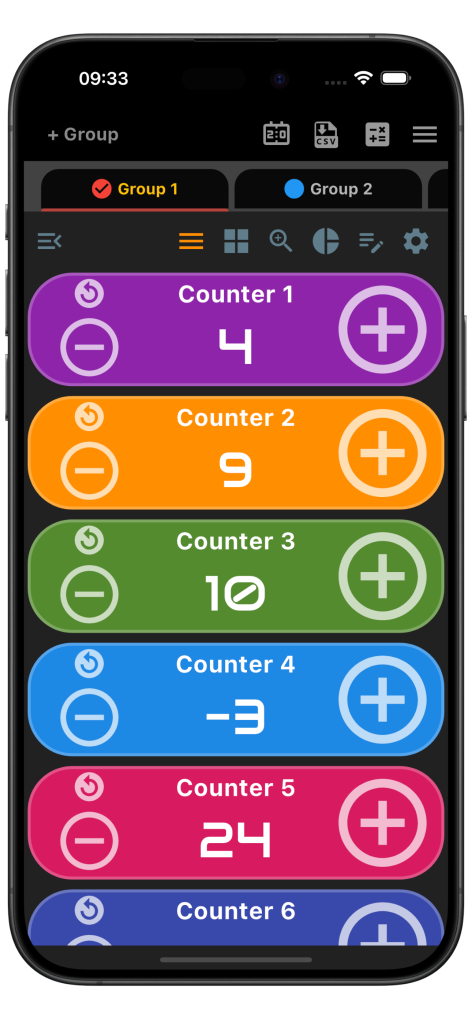
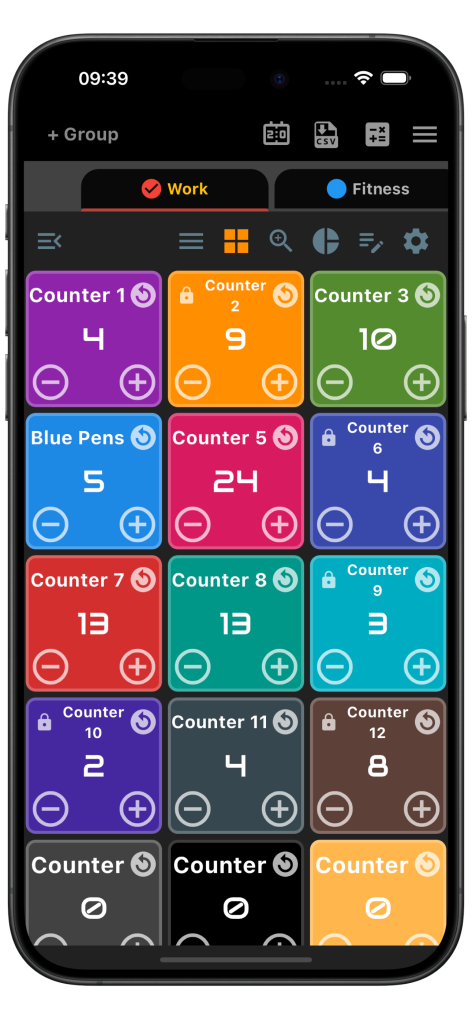
- Create multiple counters in multiple groups: Build separate groups and counters for different tasks so everything stays organized in one iPhone counter app.
- Customizable Groups: Sort your counters into dedicated sections for projects, habits, events, or work processes without losing track of what matters.
- Tailor-Made Counters: Personalize each counter with its own title, starting number, count step, reverse step, and color so every tally counter fits its purpose.
- Alert Systems: Use audio reminders and on-screen alerts to stay aware of important changes while you count.
- Dynamic Views: Review your counters in list, single, stats, or grid layouts depending on how you want to focus on your data in this iOS tally counter.
- Tactile Feedback: Turn on sound and vibration responses for instant confirmation with every tap, especially useful when quick input matters.
- Add Notes to Groups: Save notes inside each group to keep instructions, reminders, or context close to the counters you use.
- Manage with Ease: Rename and rearrange counters or groups whenever your workflow changes so your setup always matches your priorities.
- Counter App with History: Multi Counter lets users review minutely, hourly, and daily counter changes with clear visual plots. This makes it easy to monitor trends, analyze activity, and stay fully in control of every count. This is great for habit tracking.
- Statistics at a Glance: Check a simplified statistics screen with totals and a pie chart to understand progress without extra effort.
- Color Coding: Assign different colors to counters so you can separate categories visually and scan your setup faster.
- Convenient Reset Options: Reset one counter or clear all counters when you need a fresh start for a new session, shift, or task.
- Adjustable Interfaces: Switch between light and dark appearances for a comfortable view in different environments.
- Built-in Scoreboard: It also has a built-in scoreboard with timer.

Multi Counter is more than a basic tally tool. It is a practical counter app for iPhone and iPad for anyone who needs accurate counting with better control and clearer organization. If you want a counting app for iOS that can handle multiple categories, quick input, and easy tracking, Multi Counter is built to make repeated counting faster and more manageable. Download Multi Counter today and organize your numbers with a smarter tally counter app for iPhone.
 |
 |
 |
Counter App with History
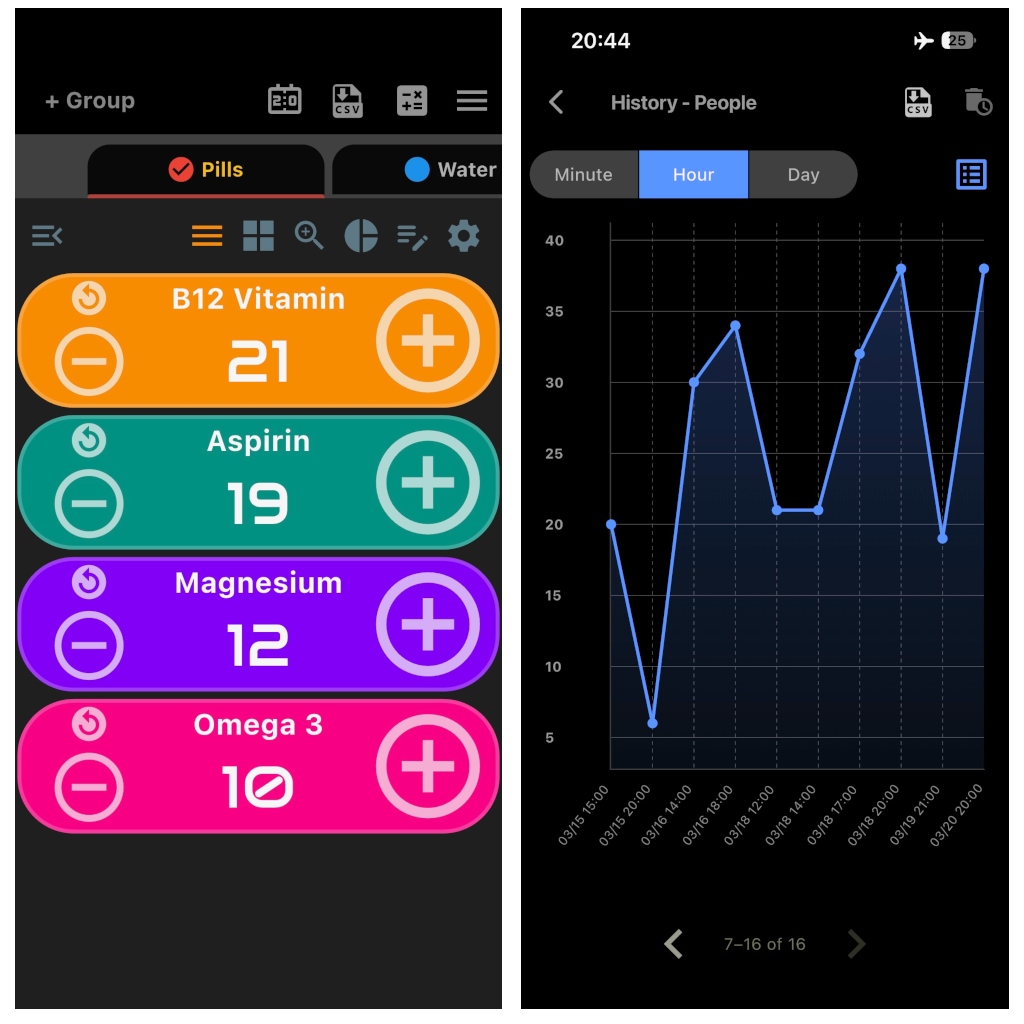
Multi Counter stands out as a counter app with history designed for users who want deeper insight into their counting activity. It keeps a record of counter updates on a minutely, hourly, and daily basis, so changes are always easy to review. With visual plots included, users can quickly spot trends, patterns, and peaks in activity over time. This feature is especially useful for tracking habits, routines, work progress, or any repeated task that benefits from historical data. By showing both current values and past changes, the app gives a more complete picture of your progress. It turns simple counting into a more organized and informative experience.
Some Great Uses of Multi Counter App
- Inventory Management: Keep track of incoming stock, stored products, or outgoing items with dependable counts that are easy to review in a mobile inventory counter app.
- Habit Tracking: Track daily routines such as water intake, exercise, study sessions, or other personal goals with individual counters. The app helps you stay organized, measure consistency, and keep up with habits that matter most.
- Packaging: Use multiple counters to monitor packed quantities and confirm that boxes, sets, or batches include the right number of items.
- Color-Coded Sorting: Track categories by color, type, size, or condition when sorting products for storage, inspection, or delivery.
- Farmers and Agricultural Workers: Count animals, harvested output, feed usage, or other day-to-day agricultural totals in one place.
- Order Fulfillment: Follow item quantities for separate customer orders to help reduce mistakes during picking and packing.
- Loading and Unloading: Record how many units move in or out during shipment handling to support better inventory accuracy.
- Quality Control: Track damaged products, tested units, or accepted quantities while reviewing production or warehouse operations.
- Safety and Compliance: Monitor quantity limits in workplaces where staying within storage or transport thresholds is important.
- Event Management: In kitchens and event preparation, count dishes, servings, trays, or production batches for smoother coordination.
- Basic baseball pitch count tracking: Use the app as a pitch counter app for iPhone during practices or games with grouped counters and simple tap input.
- Wildlife Research and Bird Watching: Record species totals or individual sightings during field observation sessions.
- Vote counting app: Multi Counter also works well as a vote counting app for clear, efficient, and accurate tallying.
- Prayer counter:< You can also use Multi Counter as a practical prayer counter app for keeping track of tasbih, dhikr, prayers, and meditation repetitions clearly and accurately.
- Medication Tracker: Multi Counter can be used as a simple medication tracker app for keeping track of pill counts, doses taken, or remaining tablets. It is especially helpful for seniors, caregivers, or anyone managing multiple medications. Users can quickly update counts and view the last value change, making it easier to stay organized and avoid mistakes.
- People Counter: Multi Counter can be used as a simple people counter app for tracking attendance, foot traffic, or headcounts in real time. It is useful for security staff, teachers, event teams, and other professionals who need a quick and reliable way to count people throughout the day.