When you regularly switch between metric and imperial measurements, search for technical units, or check values while working on a project, keeping everything in one place saves time. Unit Converter is a unit converter app for Android with more than 1,000 units across more than 80 conversion categories. It covers common measurements and scientific and engineering units, with practical calculation tools available alongside them.
If you are looking for a free unit converter app for Android, Unit Converter is free to download from Google Play. Enter a value and the app updates multiple equivalent results in real time, helping you compare the units you need without repeating the same conversion.

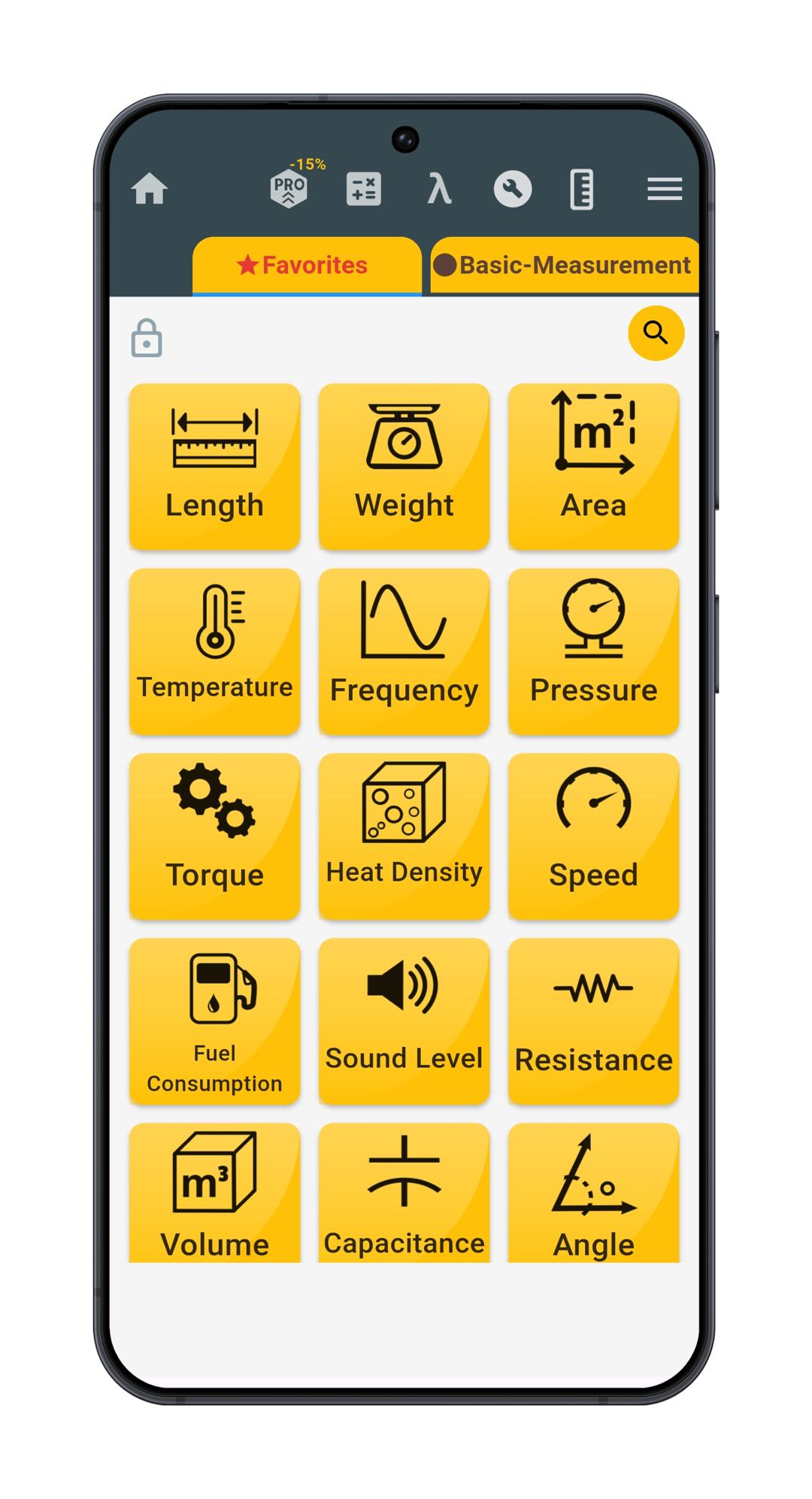
Convert one value into multiple units at once
A conversion is often more useful when you can see several answers together. Instead of choosing one source unit and one destination unit for every calculation, you can enter a value once and review multiple converted results on the same screen. This is useful when a drawing, recipe, specification, or message uses a different measurement system from the one you normally work with.
For example, enter a length in meters and the result list can show equivalent metric and imperial measurements, including centimeters, inches, and decimal feet. You can compare the formats immediately, then copy the result you want to use. Because the values update as you type, trying another measurement does not require starting again.
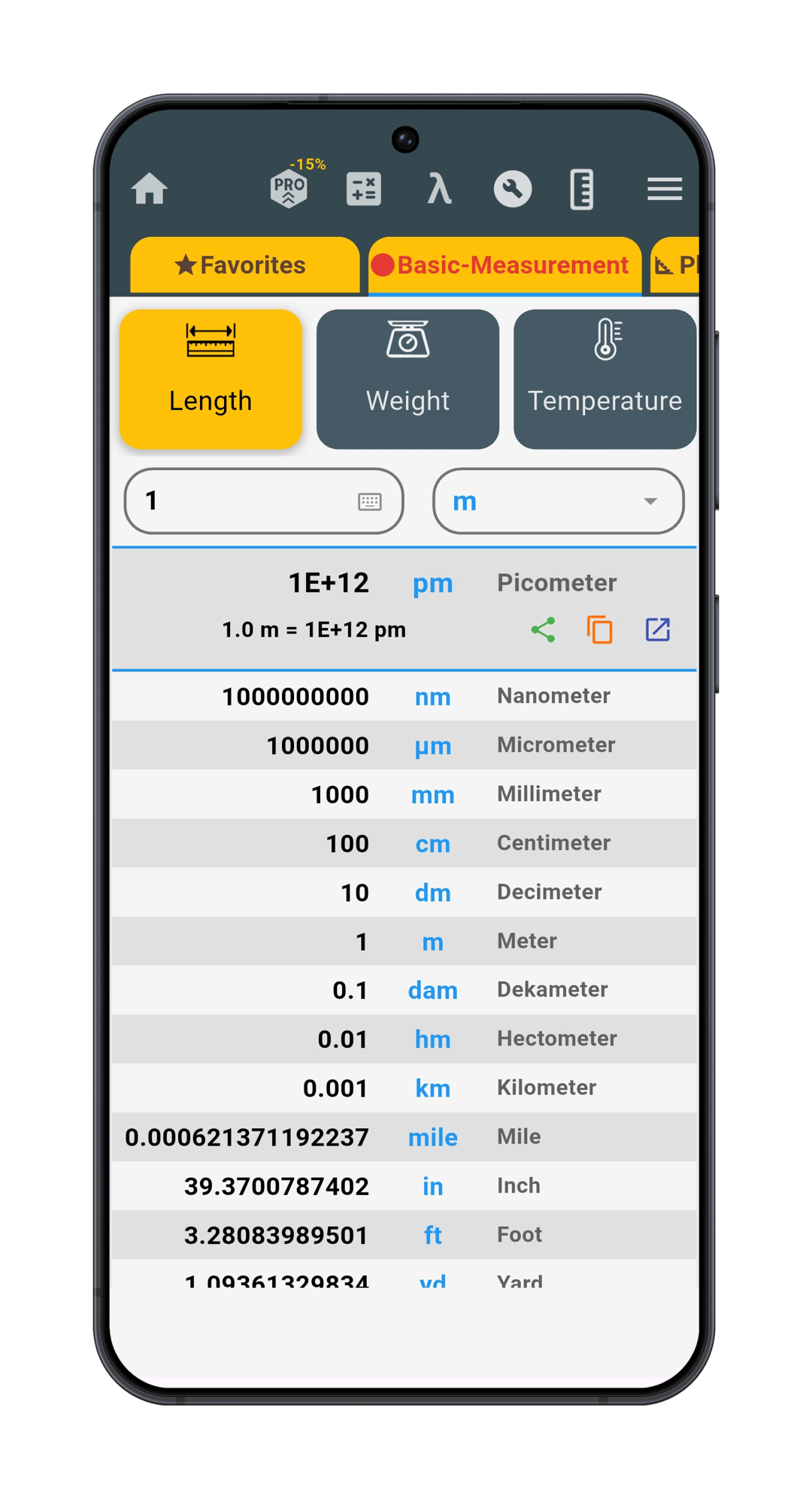
This multiple-result approach also helps when you are not yet sure which output format will be most useful. You might need decimal inches for one document, feet and inches for a construction note, and a metric result for a product specification. Seeing them together makes the relationship between the units easier to understand.
Everyday, scientific, and engineering conversions
The app begins with the measurements people often need in daily life: length, weight, temperature, area, volume, time, speed, cooking volume, and fuel consumption. These categories can help with tasks such as reading an international recipe, comparing dimensions, checking travel distances, or moving between Celsius and Fahrenheit.
It also goes well beyond the basics. Engineering and scientific categories include pressure, force, torque, acceleration, energy, power, density, heat, fluid flow, viscosity, electricity, magnetism, radiology, light, data storage, and data transfer. That broader coverage is useful for students, technicians, engineers, makers, and anyone who encounters a less familiar measurement at work or while studying.
Not every item is presented as a traditional converter. The app also includes reference tools for subjects such as metric and binary prefixes, Roman numerals, logic truth tables, image resolution, and the periodic table. This makes it more than a basic measurement converter app for Android: routine conversions and related reference information stay close together, while each task keeps a format suited to its purpose.
Helpful calculators alongside unit conversion
Sometimes converting a value is only one part of the job. Unit Converter includes 42 Helpful Tools for calculations that commonly appear beside measurement work. Representative examples include percentage, hypotenuse, circle and arc length calculations; rectangular tank, cylinder, tube, cone, and sphere volume; trigonometric functions and 2D or 3D vectors; and number tools such as roots, remainders, and greatest common divisors.
There are also focused electronics tools for resistor bands, LED resistors, voltage dividers, battery life, 555 timers, and PCB trace width, plus a board foot calculator for lumber. Each tool has a specific purpose, so you can open the calculation that fits the task instead of rebuilding its formula in a general calculator.
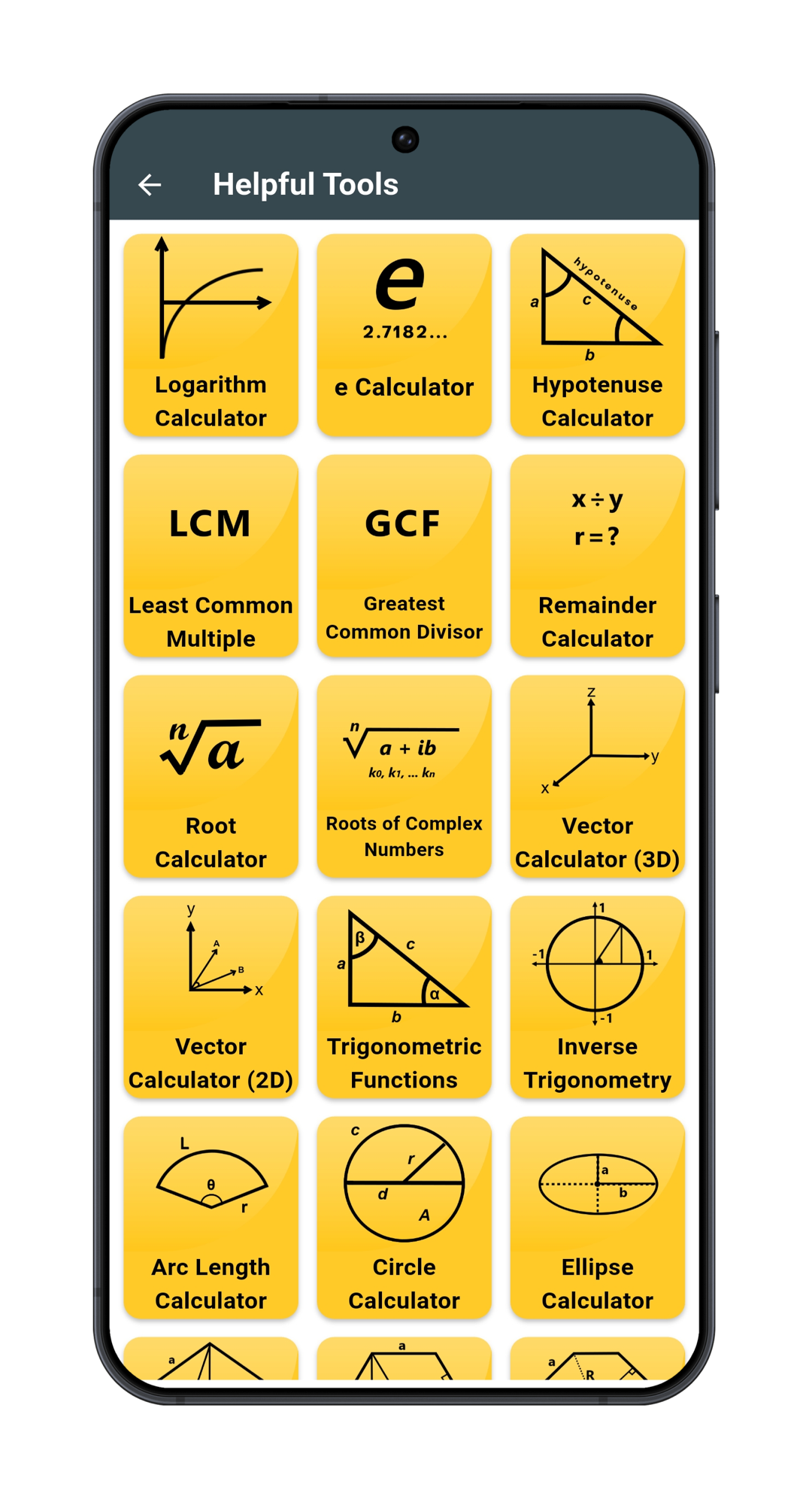
This combination makes the app useful as an all-in-one unit converter app: the converter handles the measurement itself, while the related calculators and reference screens help with the next step. After converting a measurement, you can move directly to a relevant calculator or reference without searching for a separate tool.
A built-in Construction Calculator for feet and inches
The Construction Calculator is one of the app’s strongest additions for builders, carpenters, woodworkers, tradespeople, and DIYers. It supports feet, inches, and fractional-inch entry, as well as decimal inches, meters, and centimeters. Supported measurements can be mixed across input lines, and results can be reviewed in another unit without changing the original entries.
For roof work, dedicated Pitch, Rise, Run, and Rafter tools calculate related values such as x:12 pitch, angle, slope, rise, run, and diagonal length. Manual and automatic Stair modes help work from known dimensions or choose a whole step count from a target step height. Layout tools cover baluster count and spacing for level and stair rails, along with stud counts and on-center wall spacing.
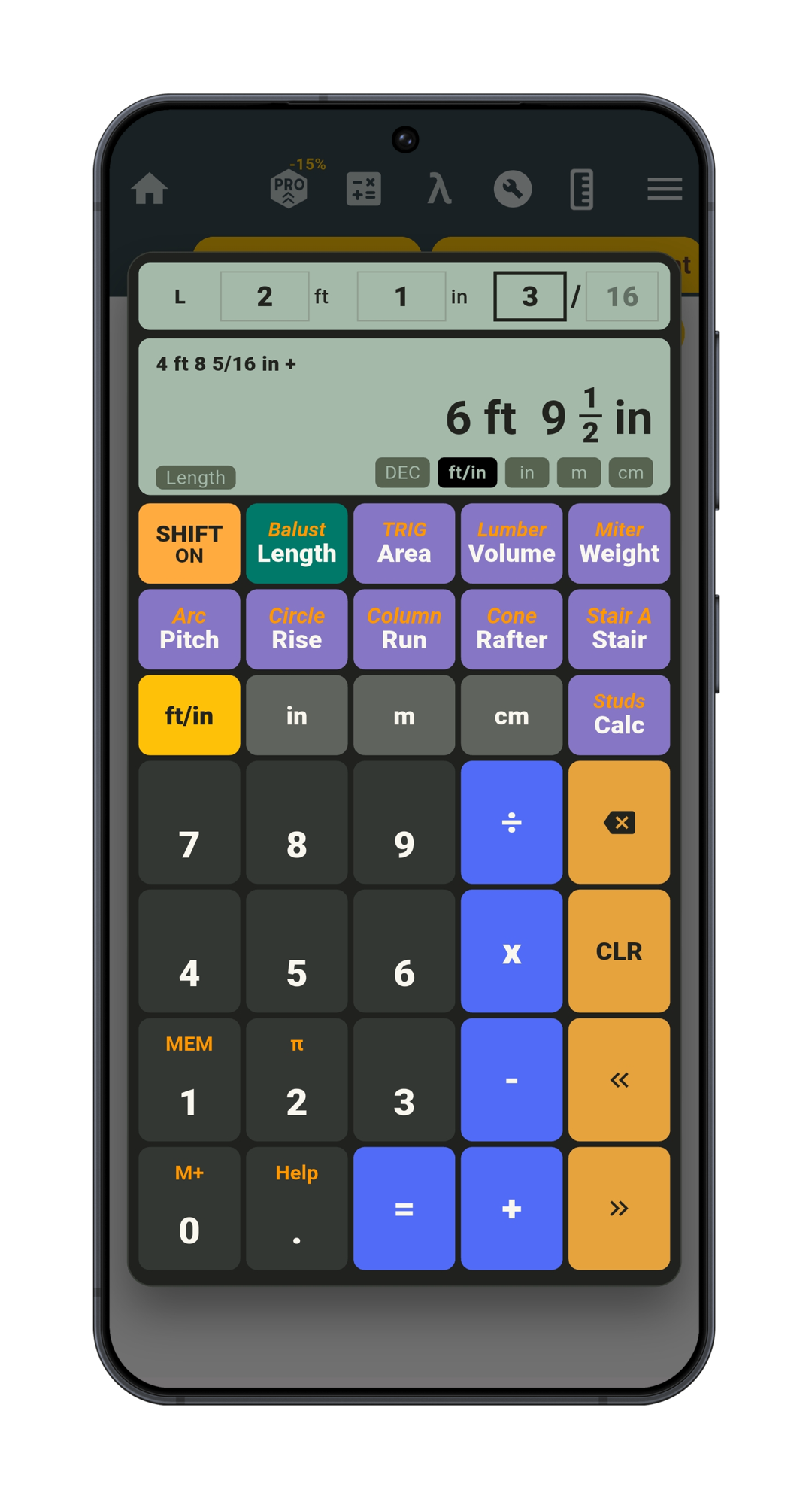
Other construction modes support board feet and estimated lumber cost, flat and crown-molding miter settings, circles and rings, arc segments and arched-wall marks, columns, cones, right triangles, rectangular area and volume, and estimated material weight. Values can also be stored in memory and inserted into compatible inputs later, which helps when the same measurement is needed in several parts of a calculation.
These tools turn common field questions into focused workflows instead of leaving you to assemble each formula from scratch. Separate guides can explore the roof, stair, layout, lumber, and miter workflows in more detail.
Keep frequent conversions easy to reach
A large collection is only useful when the items you need are easy to find. You can save favorite converters and organize shortcuts on the app’s home screen, giving regular tasks a direct path while keeping occasional categories available when needed. This is especially helpful if your daily work alternates between a small group of common measurements and more specialized technical units.
You can copy conversion results and select a color theme that suits your screen. This makes repeated conversions easier to read and lets you move a result into another app, calculation, or document when needed.
What should the best unit converter app for Android include?
The right choice depends on what you convert; it is not necessarily the app with the longest feature list. A better test is whether it handles your real measurements clearly and reduces the effort between entering a value and using the result.
- Fast, visible results: Converted values should update quickly and make it easy to compare more than one useful unit.
- Relevant coverage: Everyday metric and imperial units should be simple to find, while technical categories remain available when a specialized task appears.
- Understandable navigation: Categories, favorites, and home-screen shortcuts should help you return to frequent conversions without unnecessary searching.
- Tools that match your work: Related calculators are valuable when they solve a genuine next step, such as percentage, geometry, electronics, or construction math.
Unit Converter brings these elements together with real-time multi-result conversion, broad category coverage, Helpful Tools, customizable shortcuts, and the dedicated Construction Calculator. That makes it suitable for quick everyday checks as well as more involved technical and project-based work.
Frequently asked questions
Is Unit Converter a free unit converter app for Android?
Yes. Unit Converter is free to download from Google Play, where you can install it directly on your Android device.
How many units and categories does it include?
Unit Converter includes more than 1,000 units across more than 80 conversion categories, covering everyday measurements as well as scientific and engineering units. The app also provides separate Helpful Tools and reference information.
Can it convert metric and imperial measurements?
Yes. You can convert common metric and imperial units for length, weight, temperature, area, volume, speed, and many other categories. Multiple results appear together so equivalent values are easy to compare.
Can it calculate with feet, inches, and fractions?
Yes. The built-in Construction Calculator supports feet, inches, and fractional inches for measurement entry. It also supports decimal inches, meters, and centimeters, with alternate units available for compatible results.
Does it include scientific and construction calculators?
Yes. Helpful Tools cover areas such as percentage, geometry, trigonometry, vectors, electronics, and volume. The Construction Calculator adds dedicated roof, stair, layout, lumber, miter, shape, area, volume, and material-weight workflows.
Where can I download Unit Converter for Android?
You can download Unit Converter from Google Play.
Keep the conversions you need in one Android app
From a quick temperature or length conversion to engineering units, electronics tools, and feet-and-inches construction calculations, Unit Converter keeps a wide range of practical tasks within easy reach. Get Unit Converter on Google Play and set up shortcuts for the measurements you use most.